Expert Webflow Support & FAQ
Your Questions, Answered. Master Your Webflow Template
We provide comprehensive technical guidance and expert customization services to help you build, scale, and optimize your Webflow project with absolute precision.
General & Licensing Guidance
We provide transparent information on template usage, source file access, and project licensing. Get the clarity you need to move forward with your design project confidently and securely.
Expert Technical Support
Need help with layout adjustments or Webflow features? Our support team provides professional advice on best practices, CMS management, and technical troubleshooting to keep you on track.
Tailored Customization Services
We offer specialized services beyond our templates. From complex CMS structures to custom interactive elements, we tailor the architecture to match your unique project scope and vision.
General & Licensing
Everything you need to know about our template usage, file access, and licensing terms. We aim to keep our process simple and transparent so you can focus on building your project.
What exactly is included in the template purchase?
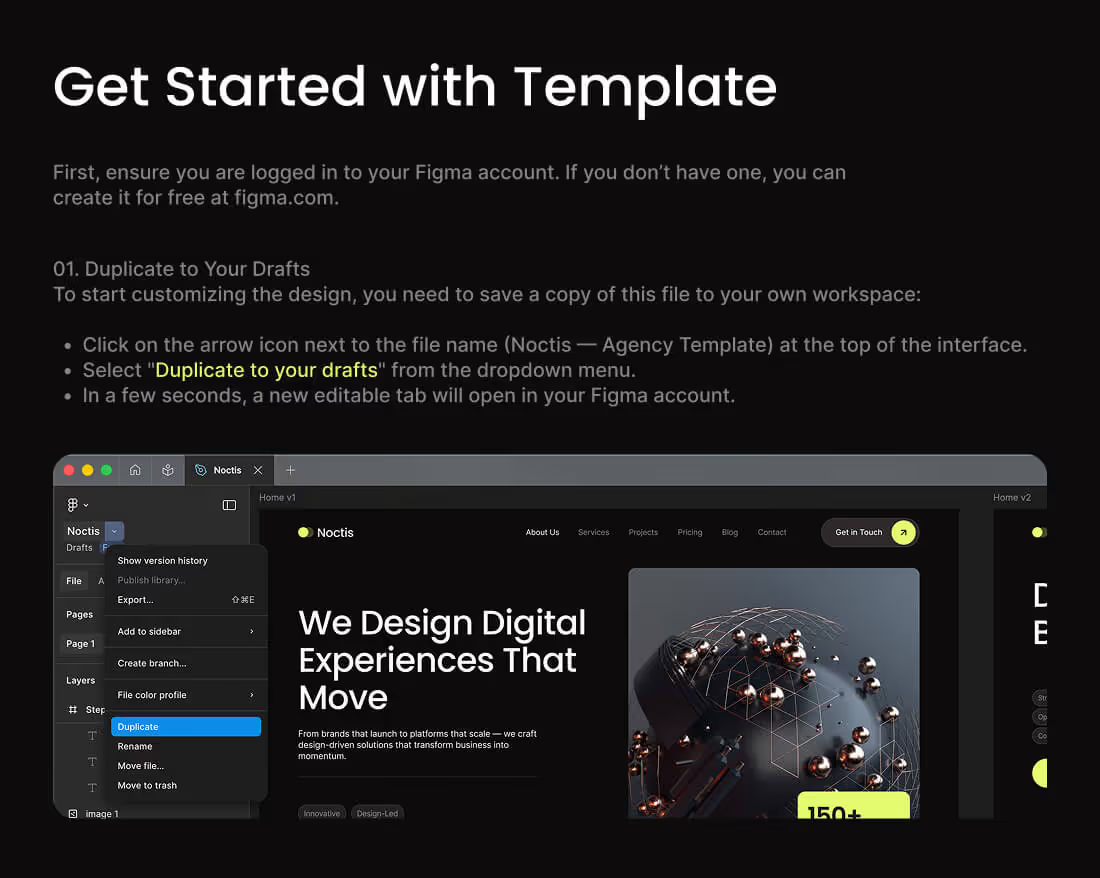
The purchase includes the full Webflow template project. Additionally, we provide the original Figma source file upon request at no extra cost. To get the Figma file, simply send us an email at tehnosupp@gmail.com or message us on WhatsApp, Telegram, Signal, or Viber. We are also happy to provide free technical consultations if you have any questions while getting started.
Can I use one template for multiple projects?
Yes, you are welcome to use the template across multiple projects of your own. As a valued returning customer, you can also reach out to us for special discounts on any of our other templates.
Are template updates free of charge?
Yes, all updates are completely free. You will have full access to all future improvements and fixes, regardless of when you originally purchased the template.
Are the demo images included in the package?
Yes, all images shown in the live preview are included in the package. They are also available within the Figma file, along with all the icons used in the design.
What is your license policy?
You have full freedom to modify the content and design to fit your project’s needs. The only restriction is that you may not resell or redistribute the original template files as your own without our prior consent.
Can I modify the design and structure of the template?
Absolutely! We built these templates to be flexible. You can freely change any information, design elements, or structural components to suit your specific requirements.
Is there a refund policy?
Yes, we do offer refunds. If you have any issues, please contact us directly, and we will help resolve the situation. To ensure you are fully satisfied before purchasing, we highly recommend reviewing the template via the Webflow Designer on the marketplace to explore the structure, sections, and data setup in detail.
Can I use the template for a client’s commercial project?
Yes, of course. You are free to use our templates for both your own projects and your clients' commercial websites. Feel free to customize the content, design, and structure to perfectly match your client’s vision.
Do I need a paid Webflow subscription to use the template?
Yes, you will need at least a Basic site plan to connect a custom domain. Additionally, if the template includes CMS Collections, a CMS plan is required to manage content effectively. Without a paid plan, you are limited to two pages, and you won't be able to utilize CMS features like blog posts, services, or team member listings.
Do I need to keep the "Designed by" credit in the footer?
No, it is not mandatory. You are free to remove any branding or credits from the footer if they don't fit your design requirements.
Technical & Customization
Deep dive into our development standards, the Client-First methodology, and our approach to template tailoring. Whether you need help with CMS structures or complex interactive elements, we are here to provide the technical expertise you need.
What methodology do you use to build your templates?
All our templates are built using the Finsweet Client-First methodology. Unlike many other authors, we do not rely on automated tools or direct Figma to Webflow imports. Every section is manually coded and styled from scratch with absolute precision. This approach ensures a logical, clean structure, making it effortless for you to scale your site, add new sections, and maintain consistency using standard, readable class names.
Are your templates responsive and mobile-friendly?
Yes, our templates are 100% responsive and thoroughly tested across all devices. They are optimized to perform perfectly on screens ranging from large 1920px desktop monitors down to 240px mobile devices. You can be confident that your site will look and function flawlessly, regardless of the user's hardware.
Do you use custom code in your templates, or are they 100% native Webflow?
Our templates are built using 100% native Webflow features. We adhere strictly to the Webflow Marketplace guidelines, which prohibit the use of third-party custom code in public templates to ensure maximum stability and ease of use. However, the architecture is fully open, allowing you to add your own custom code whenever you need to implement specific, advanced functionality.
How can I request a custom feature or template modification?
We provide professional customization services not just for our own templates, but for any Webflow project. Even if you purchase a template from a different author on the Marketplace, you can reach out to us. We will analyze your needs, provide a quote, and handle all the necessary adjustments to tailor the site perfectly to your vision.
Are your templates compatible with all modern browsers?
Yes, our templates are cross-browser compatible. We ensure that every design element renders consistently across all major browsers, including Chrome, Safari, Firefox, Opera, and Microsoft Edge, providing a uniform experience for all your visitors.
How do I manage the CMS collections included in the template?
Every template comes with pre-configured CMS Collections tailored to the site's purpose. You can easily edit existing fields or add new ones directly in the Webflow CMS panel. If you need any guidance on managing complex data or setting up custom fields, our team is always available to provide a free consultation to ensure everything is set up correctly.
Do you provide assistance with third-party integrations (e.g., Zapier, Memberstack)?
Our templates are built with integration-ready architecture. You can easily connect third-party services like Zapier, Memberstack, Make, or other automation tools. Since our structure is clean and modular, it is highly compatible with external APIs and platforms, and we are happy to advise you on how to connect these services to your site.
How are the global styles set up in your templates?
We utilize Webflow Variables for all global styles. This allows you to manage the entire design system from a central location. Whether you need to update primary colors, layout gaps, or spacing, you can make global changes instantly, ensuring your site remains consistent and professional throughout the design process.
Can I easily change the color palette and typography across the whole site?
Yes, it is extremely simple. By utilizing Webflow Variables, you can change your site-wide typography, color palette, spacing, and layout dimensions in just a few clicks. This modular system is designed to save you time and provide you with complete control over your brand’s visual identity across every page.
Do you provide any documentation or video guides on how to use your templates?
Every template includes a dedicated "Style Guide" page within the project. This page acts as your master manual, documenting all the classes, variables, typography settings, and layout components used in the build. It provides you with all the technical details needed to understand the project structure and make modifications with confidence.
Template Features & SEO
Explore the structural capabilities of our templates. From diverse home page variations to pre-configured SEO foundations, we ensure your site is built to rank, perform, and engage your audience from day one.
How many home page variations are included in this template?
Depending on the specific template you choose, it may include 1, 2, or 3 distinct home page versions. Each version is designed with a unique layout and content structure, allowing you to choose the one that best fits your business goals or to A/B test different designs to see what converts best for your audience.
Is the template optimized for search engines (SEO) out of the box?
Yes, it is fully SEO-ready. We have meticulously crafted the hierarchy of headings (H1–H6) and implemented proper HTML5 semantic tags - such as
<header>, <nav>, <footer>, and <section> - throughout every page. This clean, logical structure helps search engine crawlers understand your site content more effectively from the very first day.Are the heading tags (H1-H6) properly structured for SEO?
Absolutely. We strictly maintain a logical heading hierarchy on every page of our templates. This is a fundamental best practice for accessibility and SEO, ensuring that search engines can easily parse your content’s importance and relevance.
Is the template set up for social media sharing (Open Graph images)?
Yes, Open Graph settings are pre-configured for every page and every CMS Collection item. This ensures that when you share your link on social media (like Facebook, X, or LinkedIn), the correct title, description, and preview image will automatically appear. You can easily replace our default placeholders with your own custom images in the page settings.
How do I update the meta titles and descriptions for my pages?
It’s very straightforward. To update your SEO data, simply go to the "Page Settings" in the Webflow Designer, where you will find dedicated fields for "Meta Title" and "Meta Description." If you are using CMS Collections, you can also manage these fields globally within the collection settings to ensure consistency across all your dynamic pages.
Are the CMS collections pre-configured with the necessary SEO fields?
Yes, they are. Our CMS collections come with pre-configured fields to automatically generate meta tags based on your content. While we have set this up for maximum convenience, you maintain full control - you are always free to add your own text, create custom fields, or override the automated settings to better suit your specific SEO strategy.
Is the template structure semantic for better accessibility and ranking?
Yes, we prioritize semantic HTML to ensure both accessibility and high search rankings. By using proper tags like
Main, Header, Footer, Navbar, and Section on every page, we help assistive technologies and search engines interpret the structure of your site, which is a major factor in modern ranking algorithms.Can I easily add new pages while maintaining the existing SEO structure?
Certainly. Because our templates are built on the Client-First methodology and a highly modular structure, scaling your site is effortless. You can add new pages as needed, and the consistent styling and structural foundation will ensure that your new content stays perfectly aligned with your existing SEO and design standards.
Are there specific settings for images to help with site loading speed and SEO?
Yes. All images within our templates are optimized for performance. We have ensured that Alt text is defined for relevant images to improve accessibility and SEO, while decorative images are marked accordingly. We also utilize modern image formats and standard Webflow image settings to ensure your site remains fast and search-engine friendly.
Does the template include a clean structure for blog posts or portfolio projects?
Yes, our templates include fully optimized, high-quality layouts for content-heavy pages like blogs and portfolios. We have designed these templates to be both beautiful and functional, ensuring that your dynamic content is presented in a way that is easy for visitors to read and perfect for search engines to index.
Support & Updates
We are committed to the long-term success of your project. This section covers our support policy, how we handle template updates, and the best ways to reach out if you need expert assistance or have suggestions for improvements.
What does your template support include?
We provide comprehensive support to ensure your project is a success. This includes free consultations on how to customize your template, guidance on setting up CMS collections, and detailed answers to any technical questions you may have. Our goal is to make sure you feel confident and fully equipped to build your site.
How can I contact your support team if I encounter an issue?
We are always here to help! The fastest way to reach us is via email at tehnosupp@gmail.com. Alternatively, you can contact us through any of our supported messengers (WhatsApp, Telegram, Signal, or Viber). We are very approachable and happy to assist with any questions or challenges you might be facing.
What is the typical response time for support inquiries?
We strive to be as responsive as possible. On average, you can expect a reply within 15–30 minutes. Please keep in mind that response times may vary slightly depending on your time zone, but we prioritize your requests and will get back to you at the very first opportunity.
Are support services available on weekends and holidays?
Yes, we understand that web projects often run on tight deadlines. If you have an urgent issue, we are happy to accommodate and provide support during weekends or holidays to ensure your project stays on track.
How will I be notified when an update for my template is released?
We maintain a dedicated section on our website where you can view all recent updates and improvements for our templates. We recommend checking back periodically to see the latest enhancements we’ve introduced.
Can I request new features or improvements for future template versions?
Absolutely! We truly value our customers' feedback. We are always open to new ideas and suggestions, as they help us make our products better for everyone. If you have a feature in mind that would make your workflow easier, please feel free to share it with us.
What information should I provide when submitting a support ticket?
To receive dedicated support, please help us verify your purchase. Simply provide the email address used to purchase the template. If your question is technical, including a "Read-only" link to your Webflow project or a screenshot of the issue will help us resolve your query much faster.
Do you offer one-on-one video calls for complex technical troubleshooting?
Yes, we do offer video consultations for more complex issues. If you feel that a screen-sharing session would be the most effective way to solve a problem, just reach out to us and let us know your preferred platform, and we will coordinate a time to connect.
Are there any limitations to the technical support you provide?
We believe in providing full transparency and commitment to our users. As long as you have purchased our template, there are no strict limitations on our support—we are ready and happy to assist you with any questions related to the template to ensure you achieve the best possible result.
Do you keep a changelog of template updates and bug fixes?
Yes, we keep a detailed history of every template. Each template includes a dedicated "Changelog" page within the project, where you can track all version history, improvements, and bug fixes to stay up to date with the template's evolution.
About Kedd Design
We build for brands that speak louder, stand taller, and never apologize for superior digital quality.
Focus on functional aesthetics and clean structure.
100%
Ready to elevate your brand with a high-end Webflow experience that actually drives growth?
Ready to stand out? We combine high-end aesthetics with expert Webflow development to create websites that don’t just look good - they perform. Reach out to start your transformation.
tehnosupp@gmail.com

Yevhen

Founder & Lead Developer
Expert Webflow & Design Systems Creator