Webflow Template for a Hockey Federation
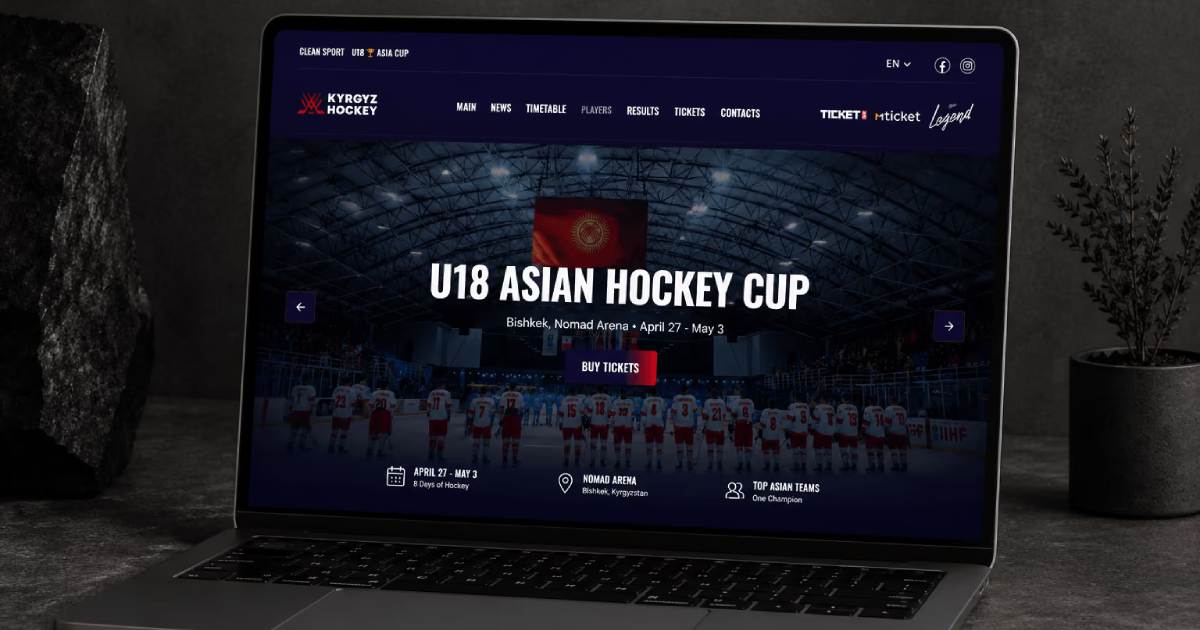
A client contacted me after purchasing a sports-focused Webflow template and asked me to customize it for the Kyrgyzstan Hockey Federation.
The main requirement was to customize the template and build a more flexible Webflow CMS structure for hockey games. We needed one CMS Collection for upcoming games and another Collection for completed games and their results.
The client also wanted to add Webflow Localization for English alongside the existing Kyrgyz language. The client will manage the translated content in the CMS themselves.
In addition, we needed to redesign the homepage slider, customize several player sections, create a new page for all national teams, and build a dedicated ticket page where visitors could purchase tickets for upcoming games.
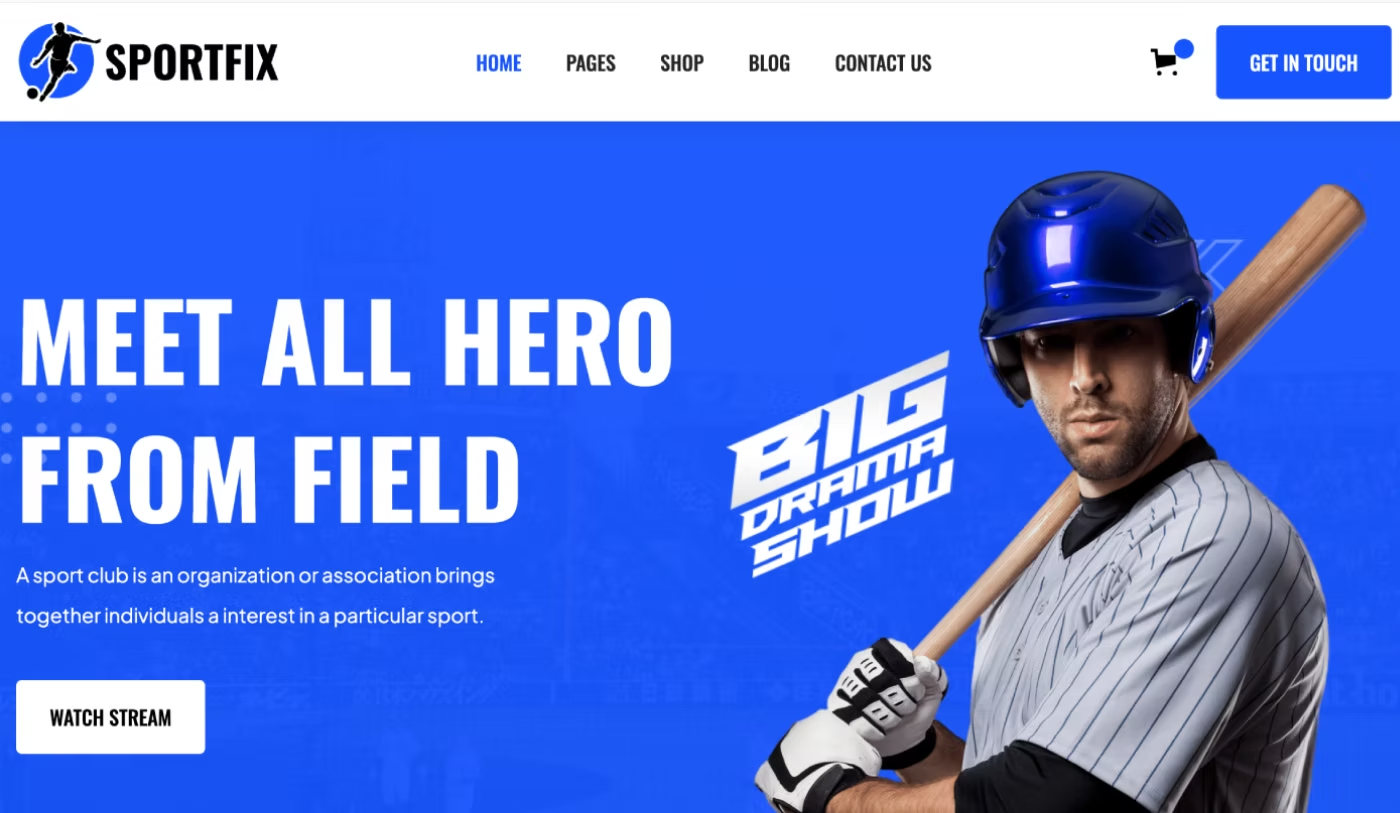
The client selected this template as the starting point for the project.
Website: icehockey.kg
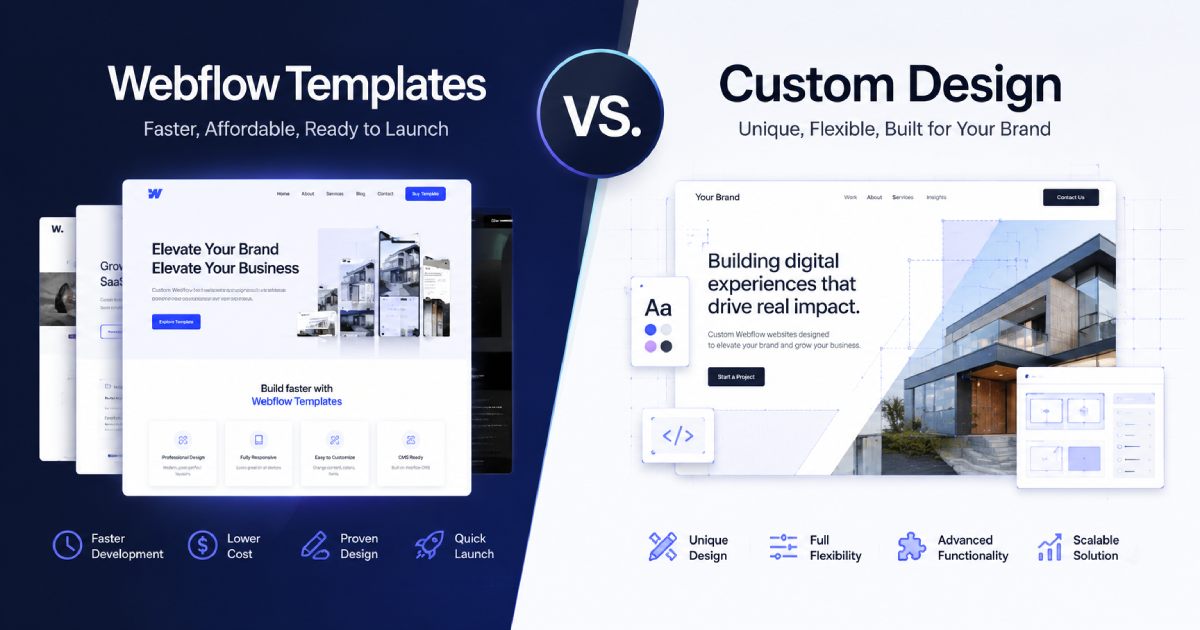
Not sure whether to choose a Webflow template or a custom site from scratch? I’ve broken down all the details in this case study.
Customizing the Main Design and Visual Style
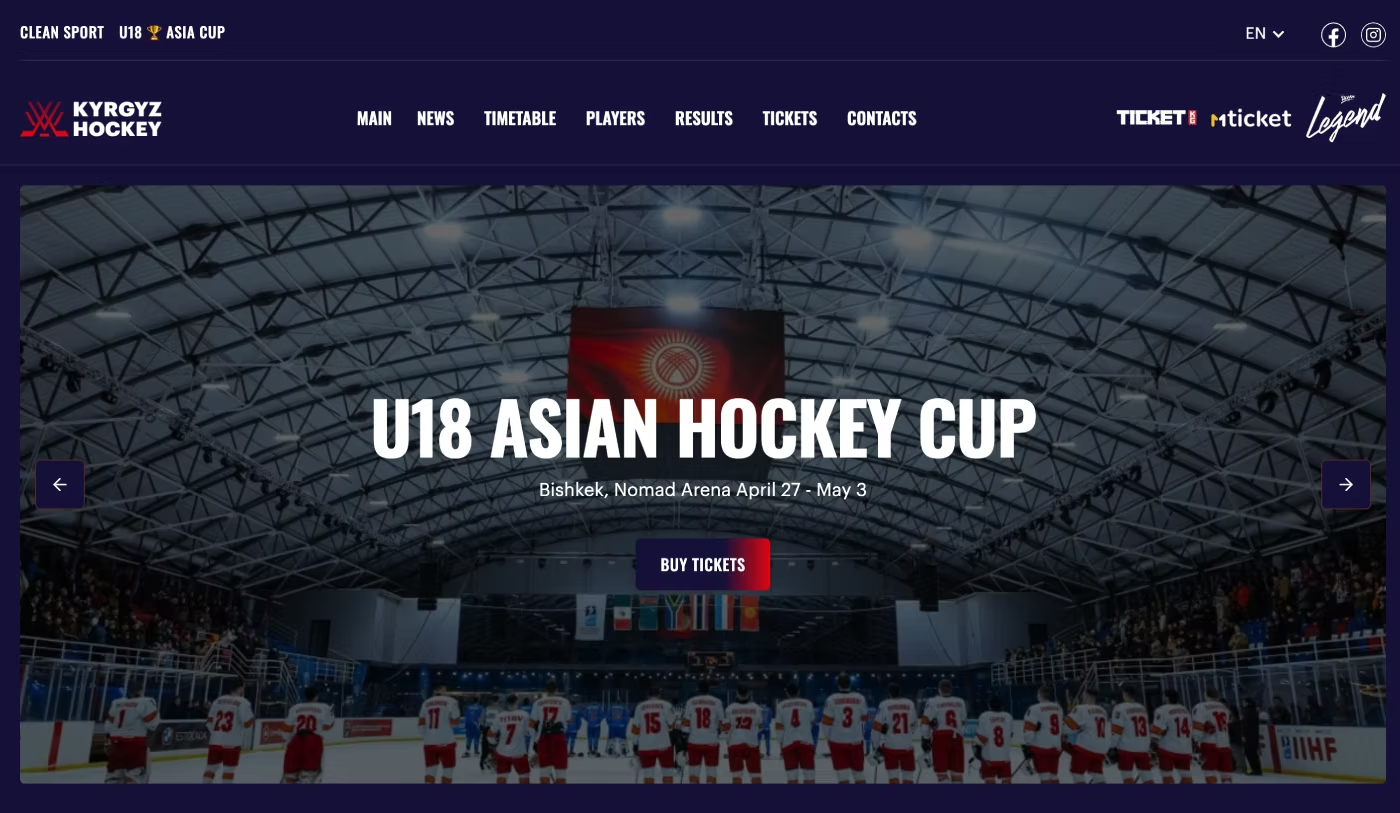
The first step was to adapt the main visual style of the template to the client's brand and the identity of the hockey federation.
We completely changed the primary colors and created a dark visual theme for the website. We also adjusted the typography, updated the button styles, changed the main navigation, added the required logos, and replaced the main website logo.
A new top navigation bar was also added based on the client's requirements. It includes language options for localization and links to the federation's social media profiles.
Customizing the Main Team Players Section
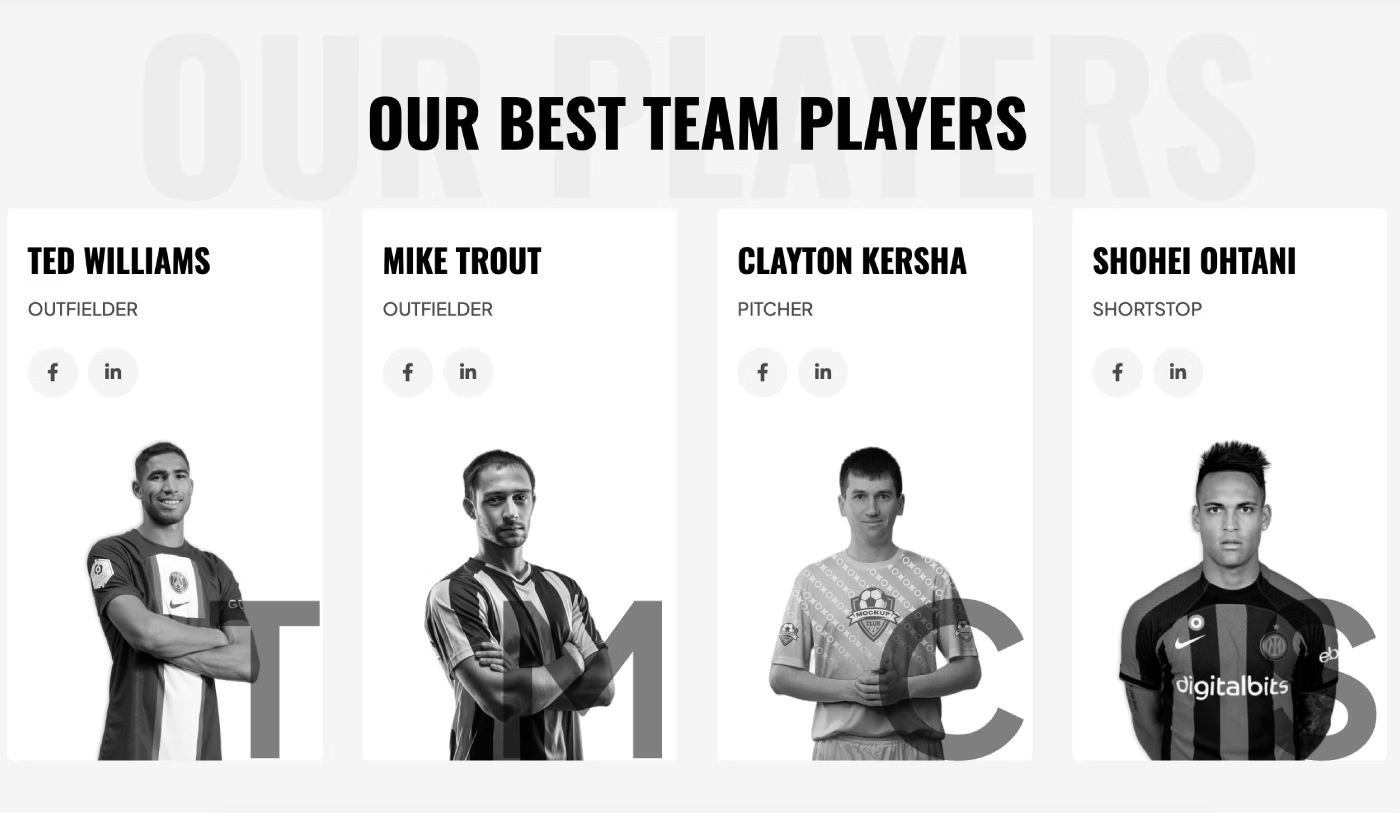
The homepage included a section displaying members of the team that participates in hockey games. The client wanted to completely redesign this section and remove several unnecessary elements.
After the customization, all team members were moved into a dedicated Webflow CMS Collection. This makes it possible to add new players and update player information independently. The entire team is now displayed in a slider, making the section easier to manage and update.
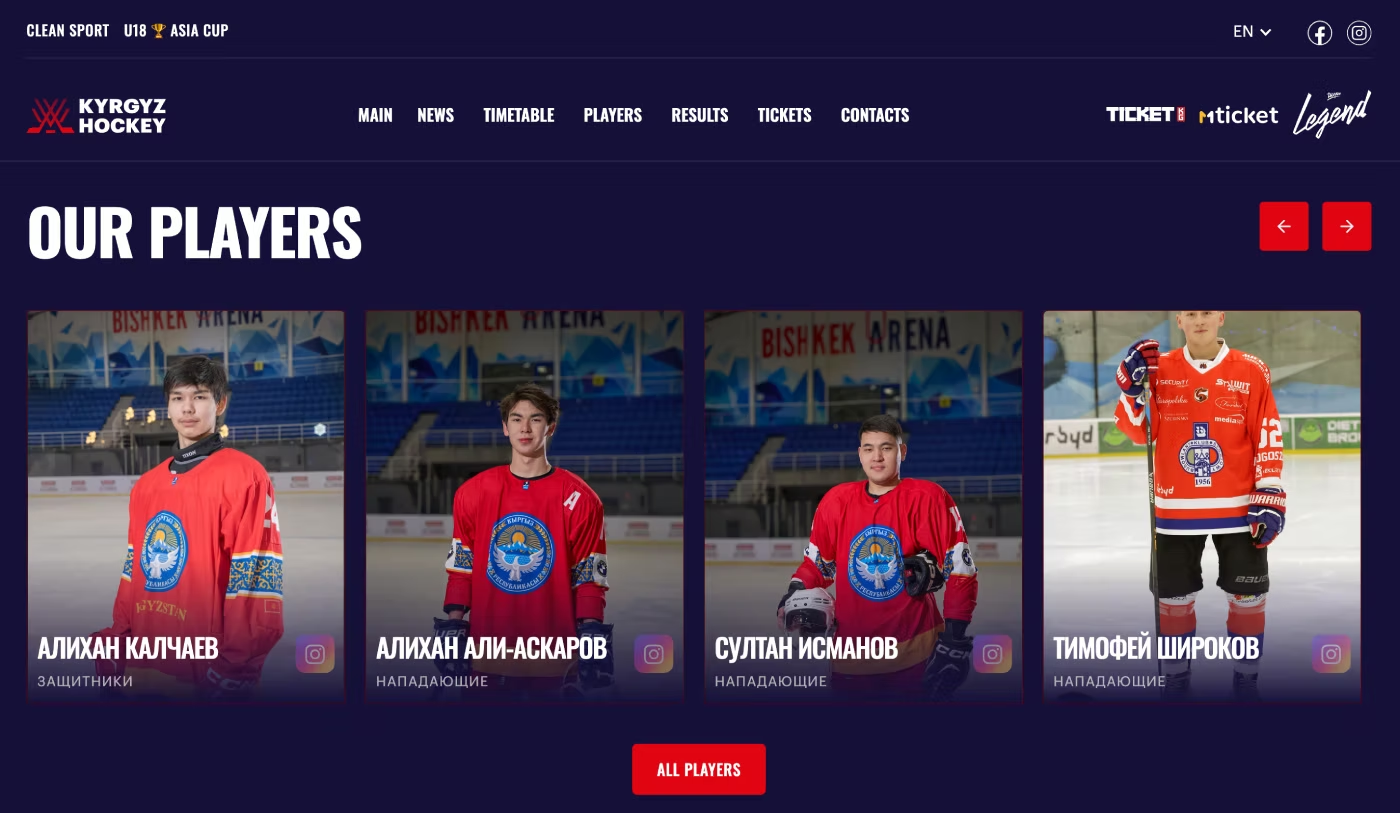
The new structure makes it easier to add new players, update player names, and upload new profile photos without manually rebuilding the layout.
Creating a New Partners Section
The original homepage did not include a section for partners. This was important for the client because the federation wanted to showcase the organizations and companies supporting the development of hockey.
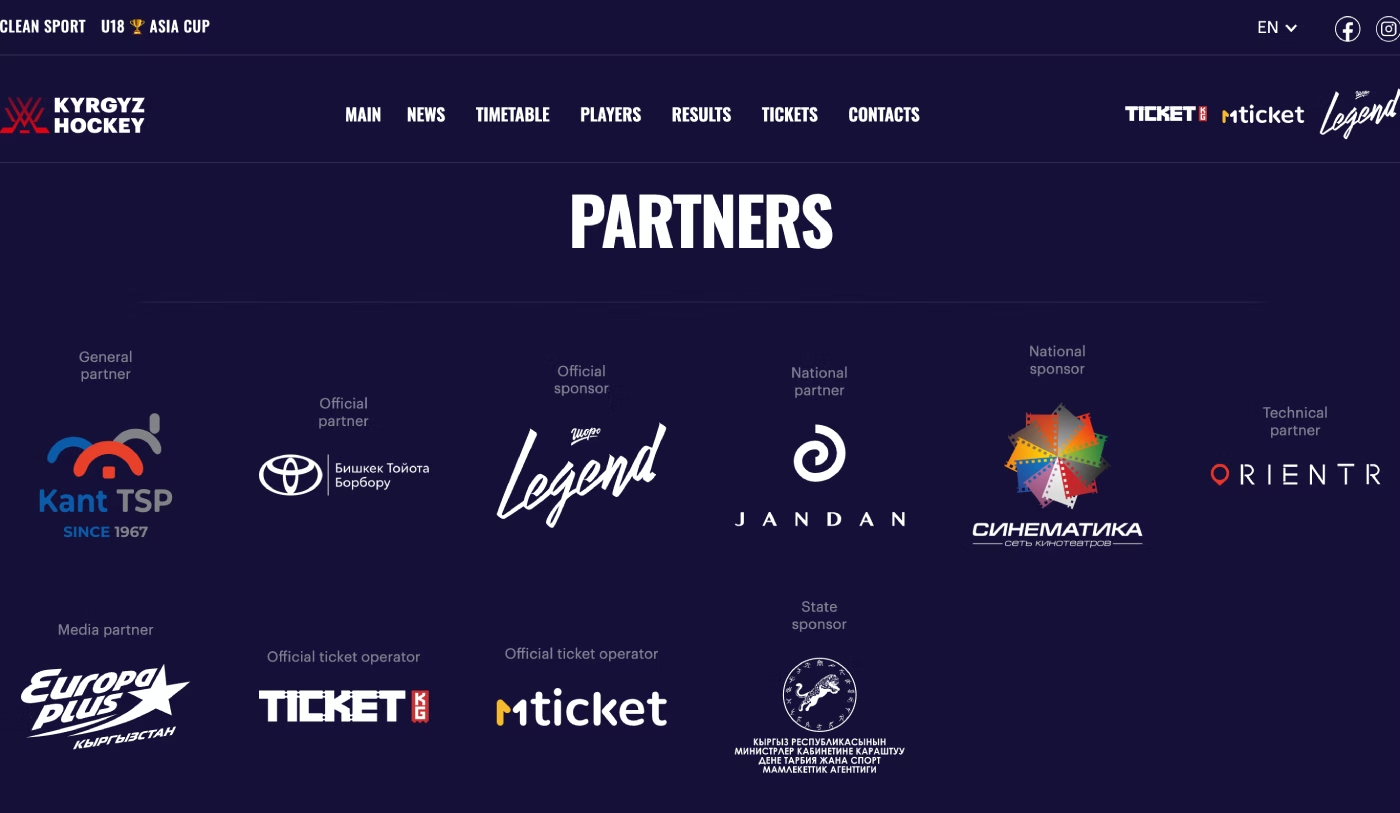
We created and customized a new section using the existing design language of the website and added all required partner logos. The new section is fully responsive and adapts to different screen sizes, including tablets and mobile devices.
Creating a New Page for All Hockey Teams
We created a new page displaying all national teams represented by the Kyrgyzstan Hockey Federation.
The page includes:
- Men's National Team
- Women's National Team
- Men's U20 Team
- Men's U18 Team
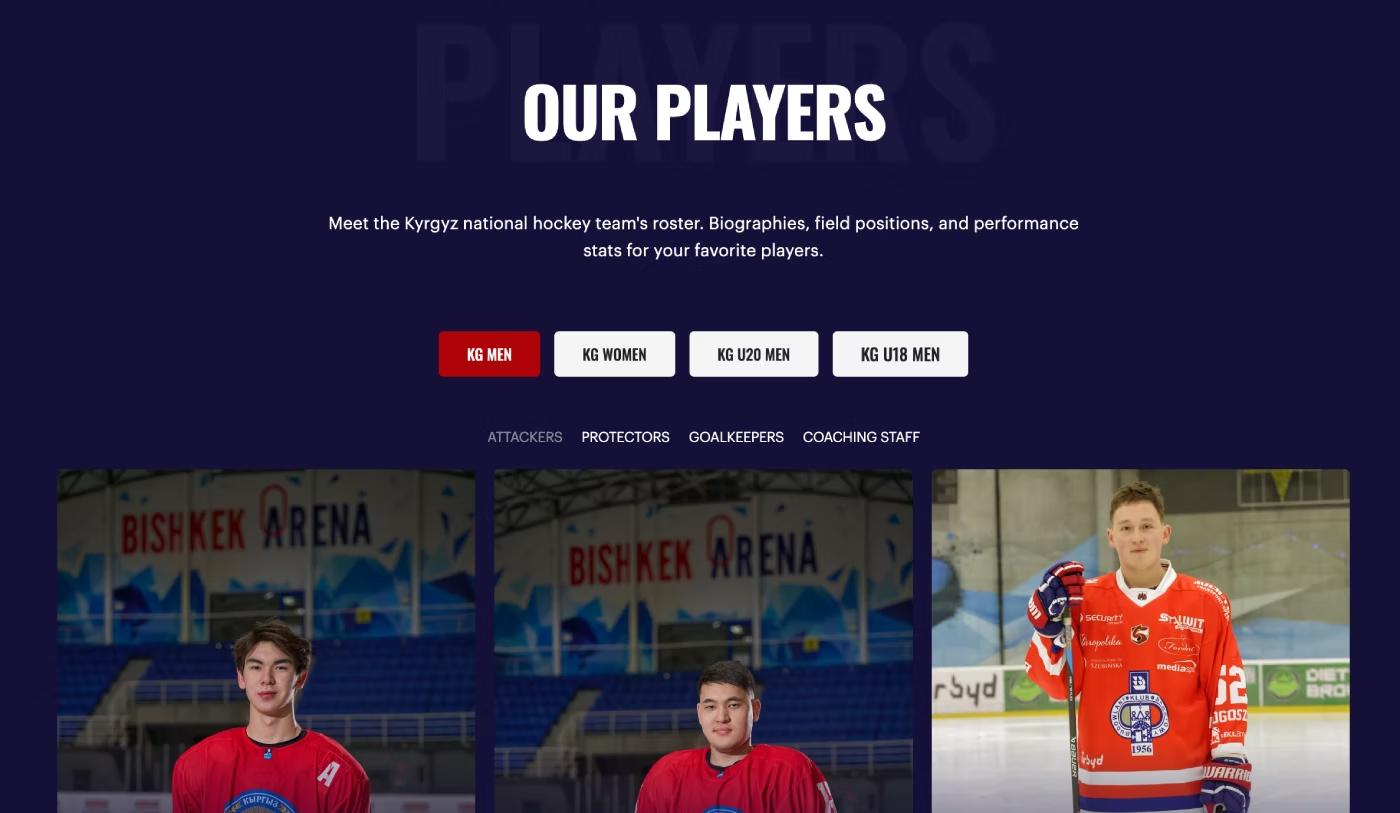
Each team has four player categories that needed to be displayed separately:
- Attackers
- Protectors
- Goalkeepers
- Coaching Staff
To solve this, we used Webflow Tabs to display the four national teams. Each tab contains the corresponding player categories. Several different layout solutions were considered, but the client approved this structure because it provides a clear way to switch between teams and view their members.
Each team was also connected to its own Webflow CMS Collection. This makes it easier for the client to update player information, replace photos, and add new players directly to the appropriate team and category.
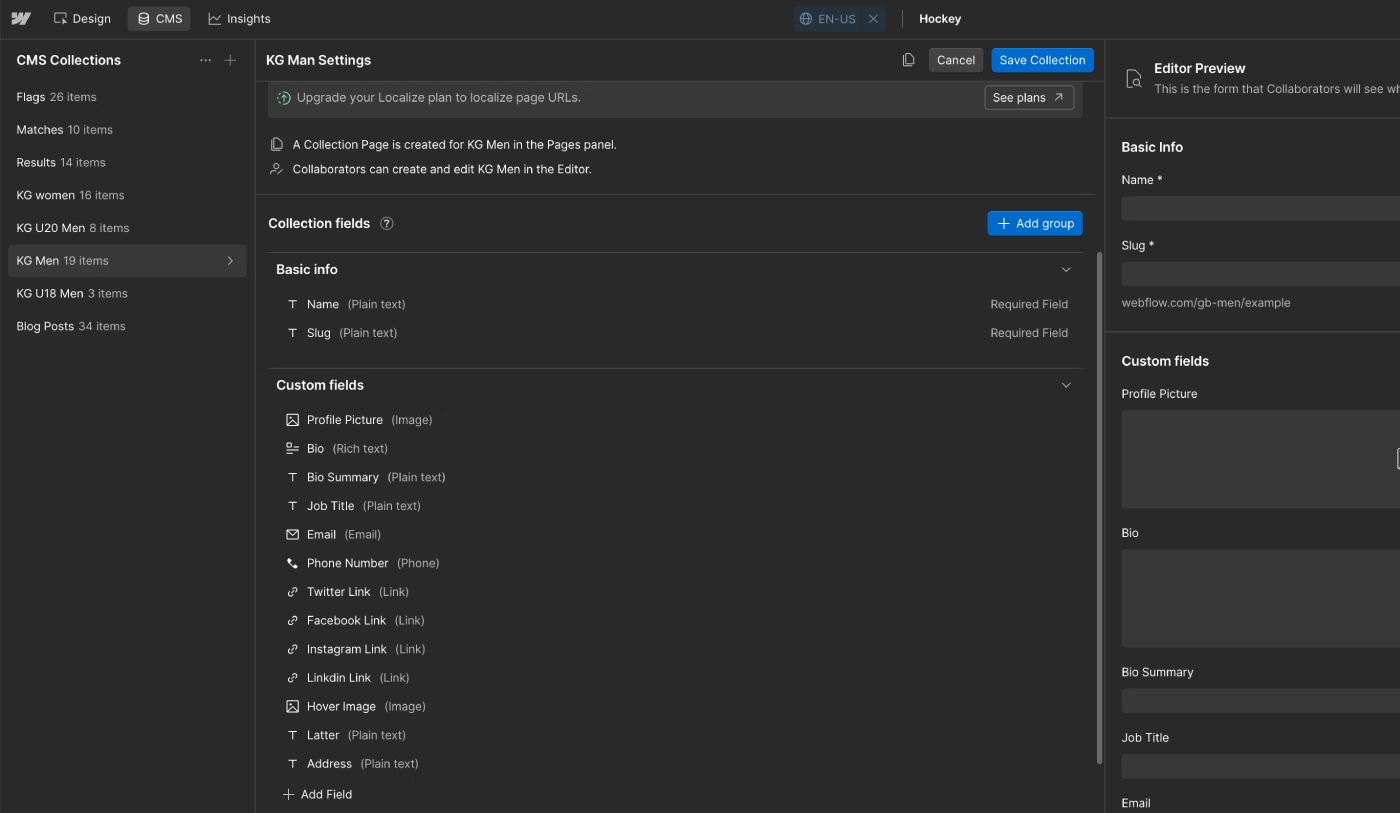
The main CMS fields created for player profiles included:
- Profile Picture — the player's main profile image.
- Bio and Bio Summary — short and detailed player information.
- Instagram Link — the player's Instagram profile.
- Facebook Link — the player's Facebook profile.
- LinkedIn Link — the player's LinkedIn profile.
- Name — the player's first and last name.
- Job Title — the player's role within the team.
Creating these CMS structures makes it easier to edit player information, add new players, move players between teams, and manage the website as the federation grows.
This approach also improves the scalability of the Webflow CMS, because new players and updated information can be added without rebuilding the page structure.
Creating a New Tickets Page
The client also needed a dedicated page where website visitors could find information about purchasing tickets for upcoming hockey games. The page needed to include a direct ticket purchase button and a QR code. We created a new page and adapted the content for desktop, tablet, and mobile devices.
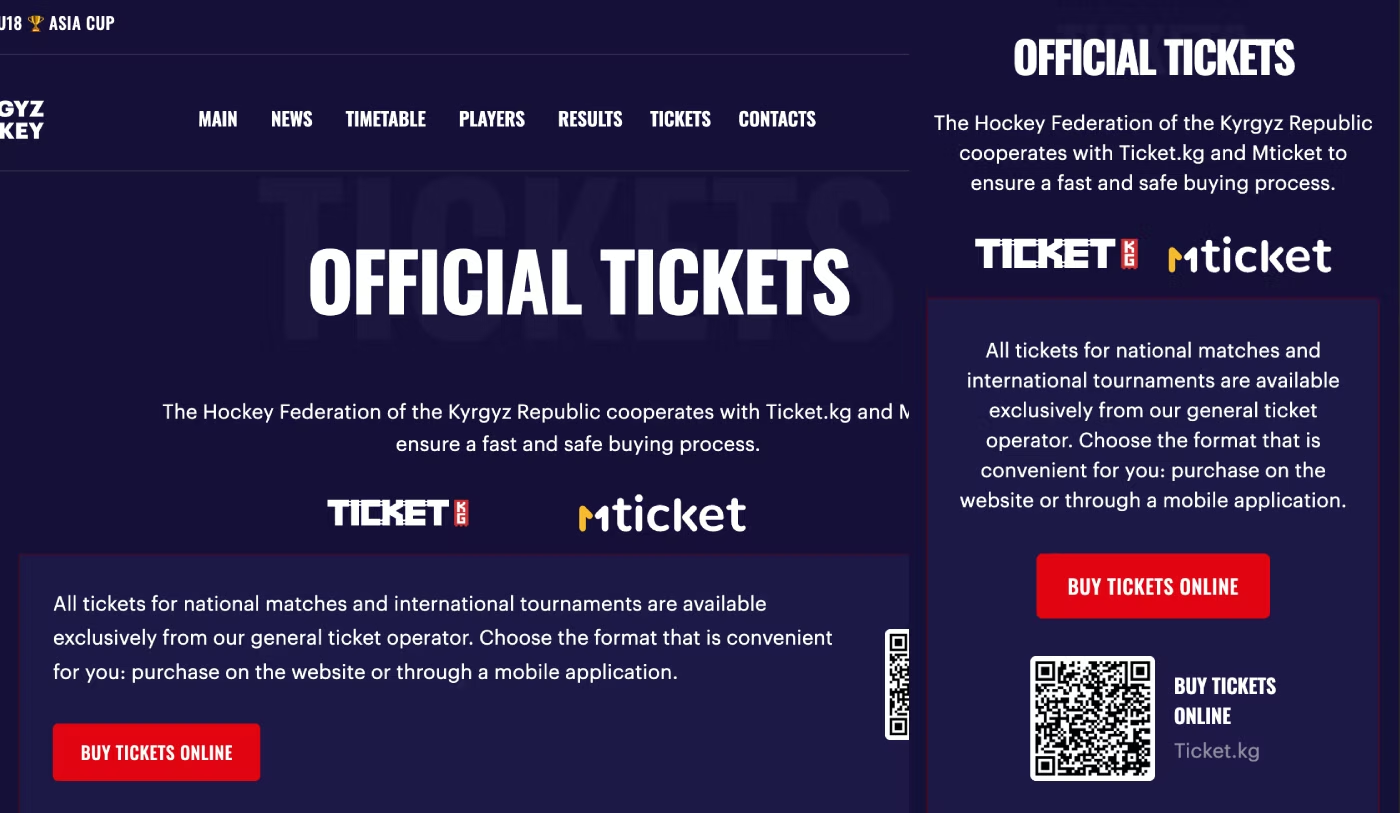
Visitors can now quickly access the ticket page and purchase tickets for upcoming games without searching through the rest of the website.
Customizing the Webflow CMS for Upcoming Games
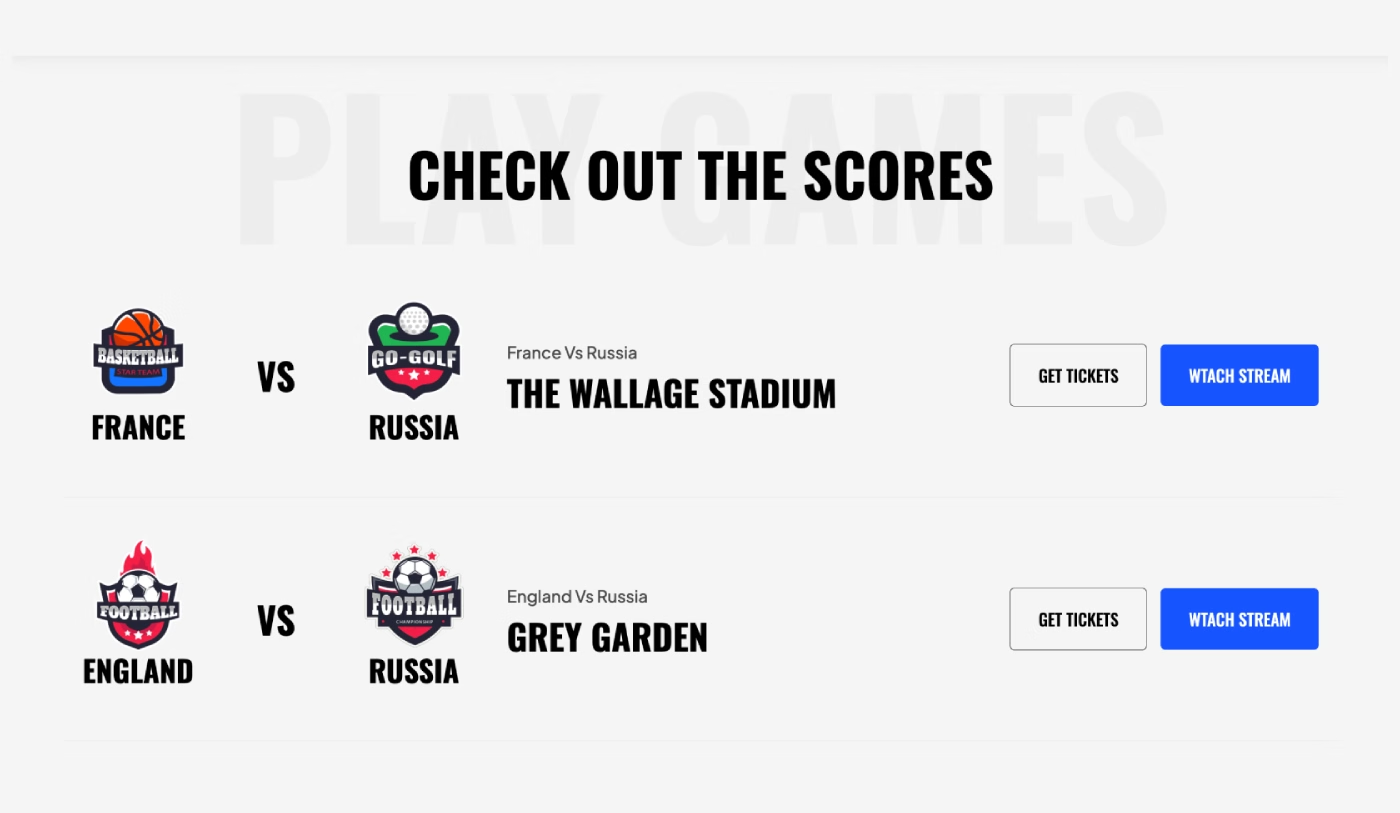
The original template already included a CMS Collection for displaying upcoming games. The client liked the basic concept, but the Collection needed to be adapted to the new website design and expanded with additional fields.
The original game schedule section looked like this before the CMS structure was customized.
We customized the Webflow CMS Collection for upcoming hockey games and added the information required by the federation.
The main changes included:
- Reduced the size of team logos to create more space for additional information.
- Added a new field for the game date.
- Added the game start time.
- Added a field for the championship name.
- Removed one of the two buttons and kept a single button for viewing the live match.
After adding the new CMS fields, we connected them to the page layout and adjusted the design to match the rest of the website.
We also checked the responsive layout to make sure the game information was displayed correctly on tablets and mobile devices.
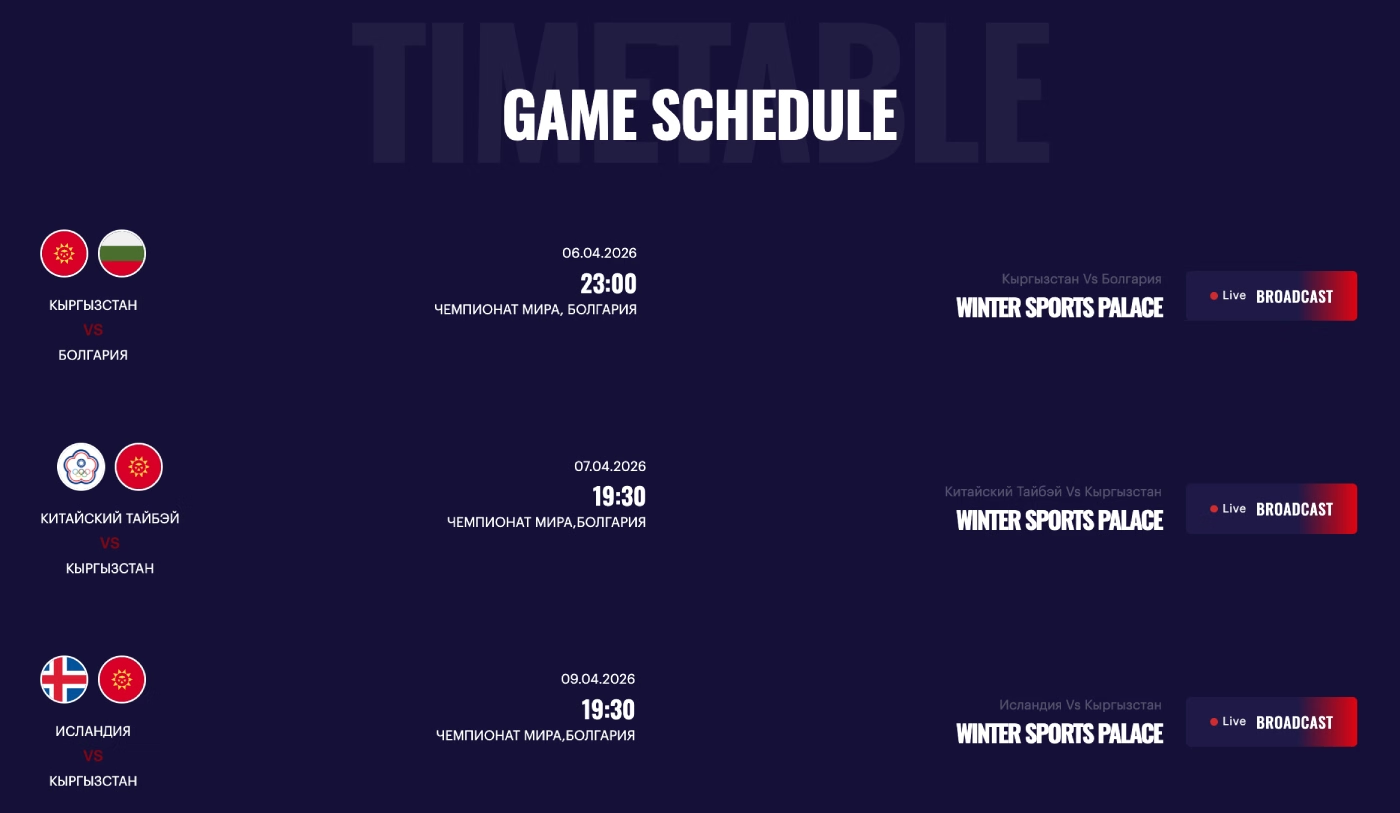
The updated homepage now displays the six nearest upcoming games, while a separate page can be used to display the complete game schedule.
This structure makes it much easier for the client to add new hockey games and provide links to live match coverage.
We also created a separate CMS Collection for countries participating in games. Country flags are connected through a Webflow CMS Reference field, which makes them easier to manage and reuse across the website.
Creating a CMS Collection for Completed Games
The client also needed a separate system for games that had already been played and needed to be displayed with their final results. The original template did not provide this functionality, so we created a new Webflow CMS Collection for completed hockey games.
The goal was to give the client an easy way to manage the teams, scores, dates, and championship information for every completed game. The new Collection is similar to the upcoming games Collection, but uses a different layout and content structure for displaying final results.
The new CMS fields include:
- Team Name
- Game Score
- Game Date
- Championship Name
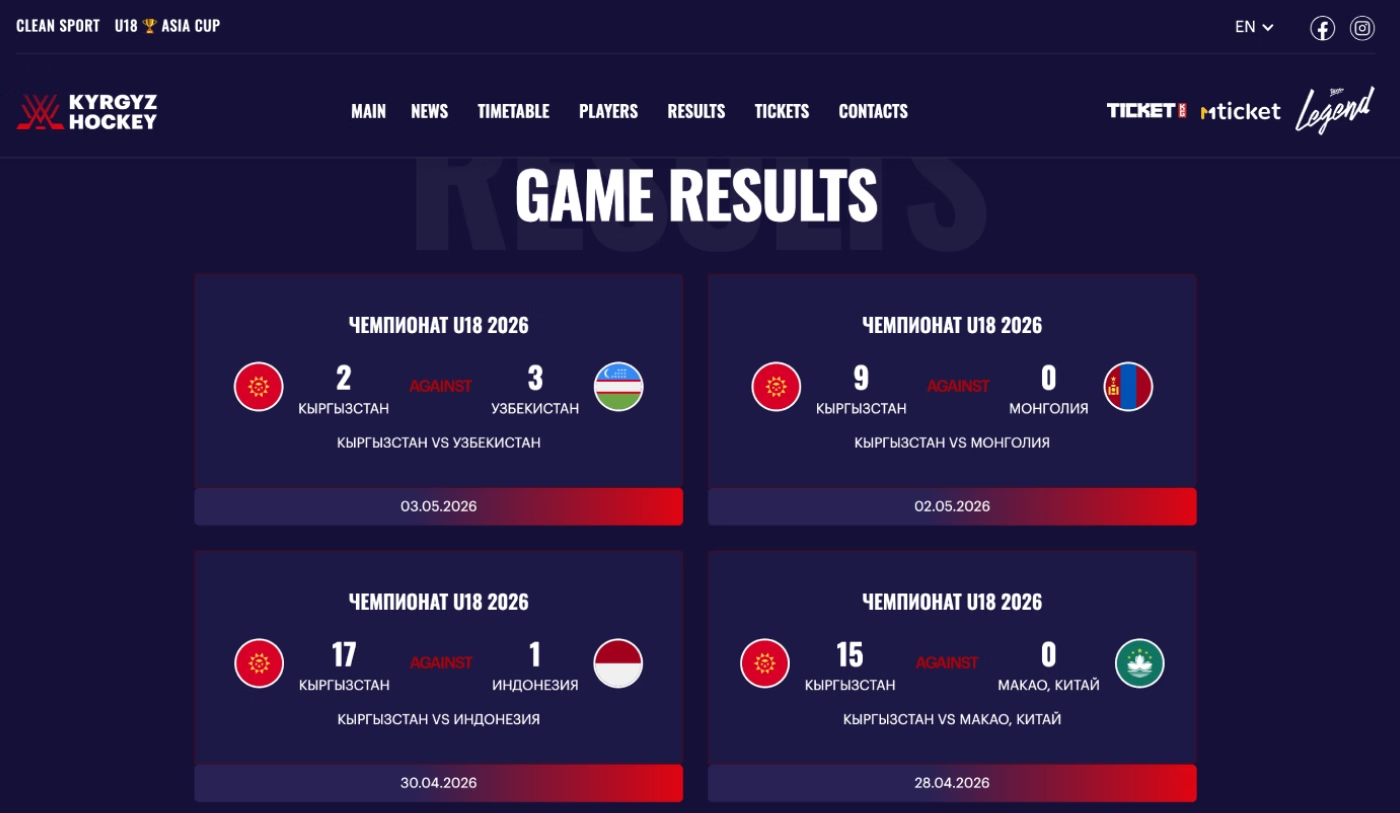
The homepage now displays the six most recent completed games, while a separate page provides an archive of all completed games.
This gives the federation a scalable system for managing both upcoming games and historical hockey results from the Webflow CMS.
Final Results
The client originally purchased a sports-focused Webflow template that was designed primarily for baseball. Our task was to transform it into a website suitable for the Kyrgyzstan Hockey Federation.
We completely changed the visual design, introduced a dark theme, updated the colors and branding, and adapted the existing sections for hockey. The most important part of the project was improving the Webflow CMS architecture.
How to choose the best template for your business niche — I've covered all the details in this case study.
We customized the existing CMS Collection for upcoming games and created a new Collection for completed games and their results. We also added the required fields for teams, players, championships, dates, scores, and other game information.
In addition, we created a scalable CMS structure for the federation's national teams and players, added a new ticket page, and improved the responsive experience across desktop, tablet, and mobile devices. The result is a more flexible Webflow website that allows the federation to manage players, teams, upcoming games, and historical results without manually rebuilding the page structure.