What Is a Webflow Template?
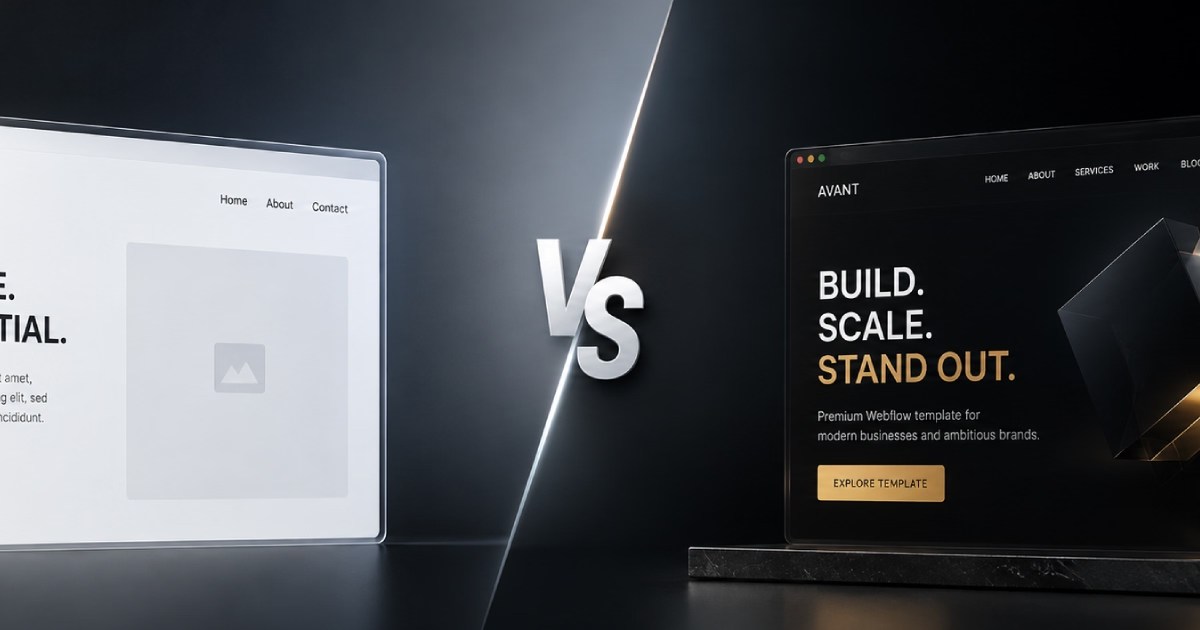
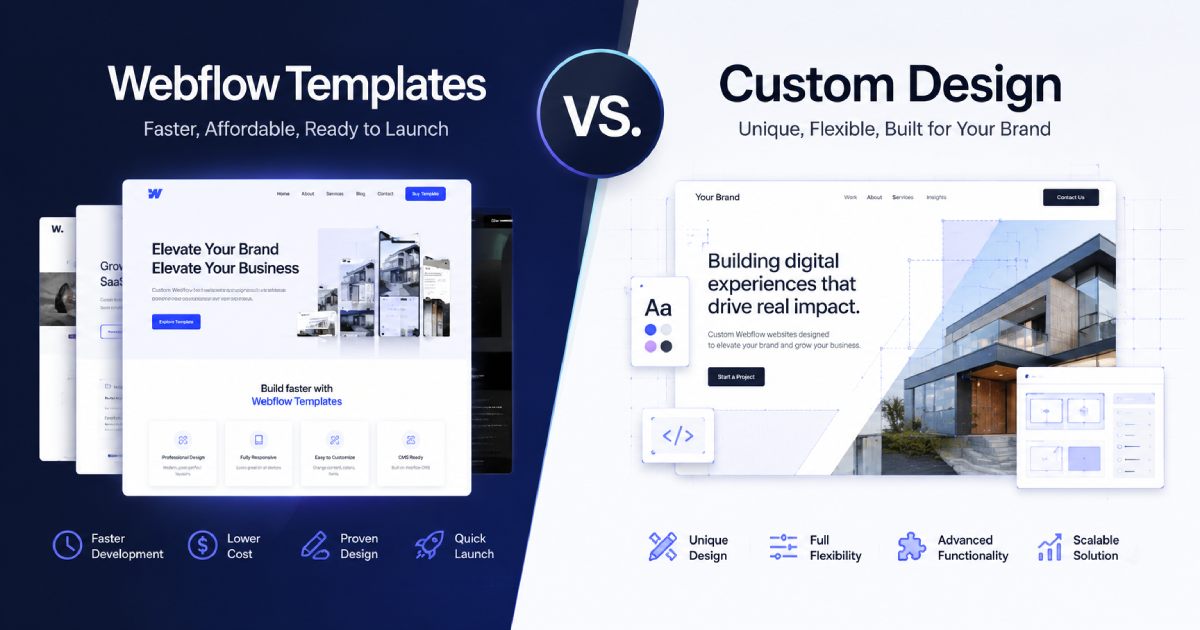
If you need to build a website for a portfolio, agency, or business quickly, choosing between a Webflow template and custom Webflow design is one of the first decisions you'll face - and a Webflow template can help you save time and development costs.
A Webflow template already includes a ready-made design, page structure, components, and CMS Collections. Instead of building everything from scratch, you can replace the existing content with your own text, images, and brand assets.
You can also customize a Webflow template to match your own brand. You can change the fonts, colors, images, page sections, components, CMS structure, and other design elements. This makes a Webflow template a practical option for businesses that want to launch a website faster without building the entire website from zero. I’ve covered the complete guide to choosing the right Webflow template in this case study.
However, the quality and flexibility of the final website depend heavily on which Webflow template you choose.
What You Get With a Webflow Template
When you purchase a Webflow template, you get a ready-made website structure that can be customized for your business or services. However, the template may not perfectly match your requirements. You may need to modify some pages, add new sections, change CMS fields, replace components, or add new content.
These changes can also affect the website's scalability and responsive design. Before purchasing a template, it is important to check how the template is built and how easy it will be to customize. You should also consider the potential Webflow template customization cost in addition to the template price.
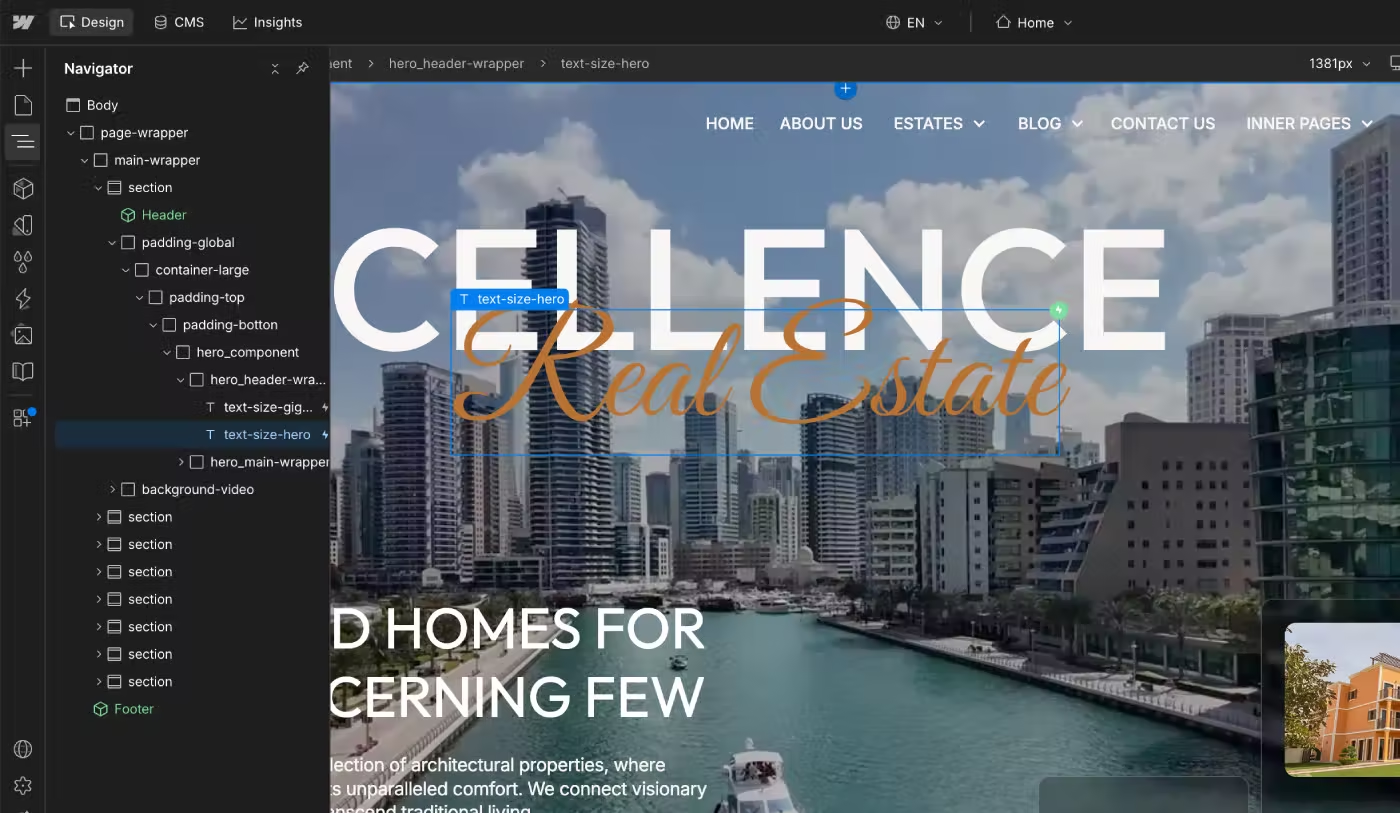
How Much Customization Is Possible?
A Webflow template can usually be customized significantly, but customization takes time.
If you do not have experience with Webflow development, you may need to hire a Webflow developer to help with:
- colors and typography;
- Webflow Variables;
- Components;
- CMS Collections;
- page sections;
- website content;
- responsive layouts;
- SEO settings;
- interactions and animations.
Depending on the size of the website and the amount of customization required, the process can take 7–14 days or longer.
What Is a Custom Webflow Website?
A custom Webflow website is built from scratch instead of starting with a ready-made template.
The process usually requires more time and a larger budget. It can include brand identity, UX research, custom UI design, page structure, Webflow development, responsive design, Components, Variables, CMS Collections, interactions, animations, SEO setup, and testing.
This is a different approach to website development because you do not need to adapt your business to an existing template structure. Instead, the website is designed and developed specifically for your business requirements.
Custom UX and Page Structure
With a custom website, you can define the complete page structure before development starts. Each page and section can be designed around your business goals. During the design process, you can make changes, add new sections, test different layouts, and adjust the user experience.
This gives you much more control over the final website structure.
Custom Design System
A custom Webflow website also allows you to create the design system from the beginning.
You can define:
- Webflow Variables;
- typography;
- colors;
- spacing;
- margins and padding;
- buttons;
- Components;
- responsive rules.
Creating these foundations early makes the website easier to maintain and scale later. A ready-made Webflow template can also have a strong design system, but you need to check its structure before purchasing it.
Custom CMS Architecture
One of the biggest advantages of a custom Webflow website is the ability to plan the CMS architecture before development begins. During the Figma design stage, you can define which content should be dynamic and which CMS Collections and fields are required.
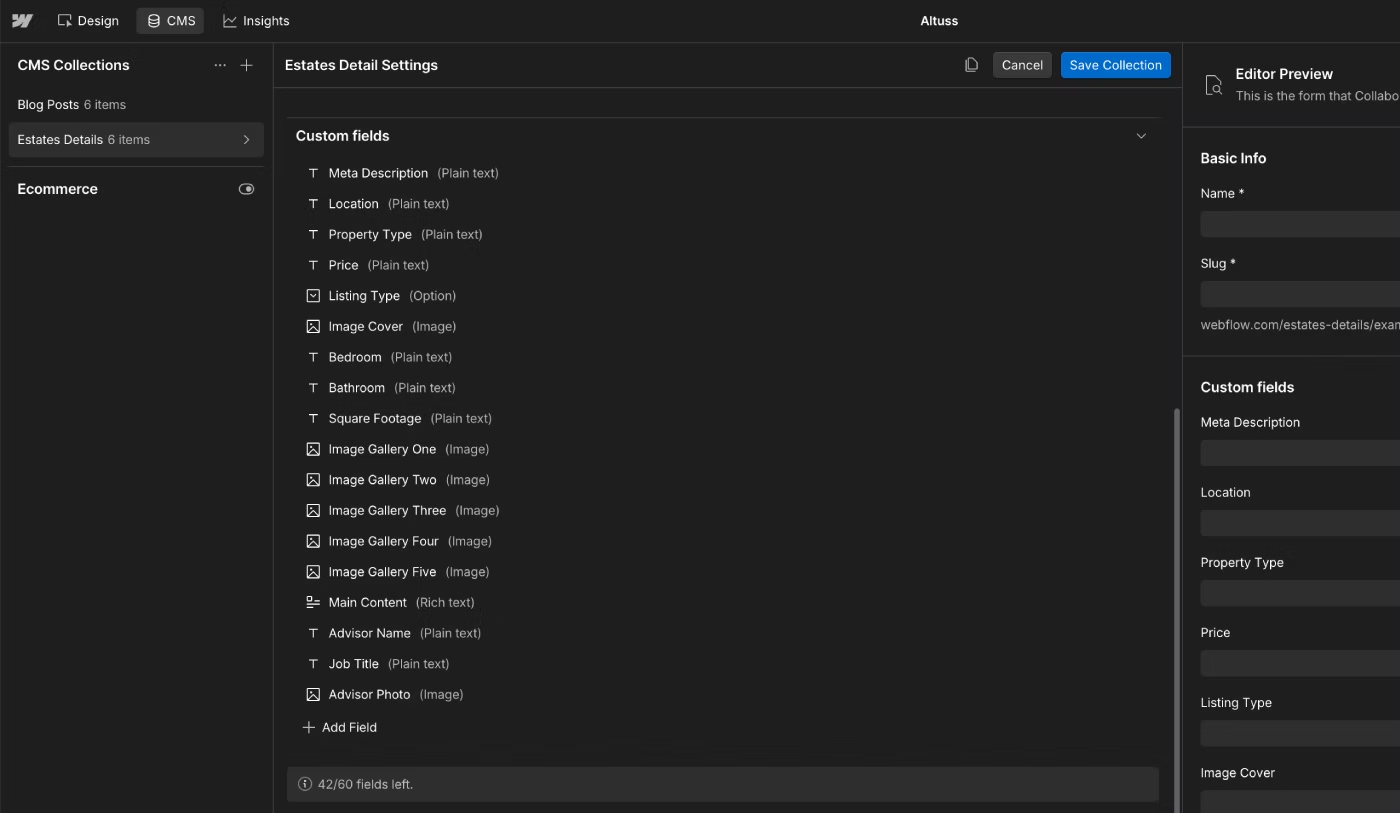
For example, a real estate agency may need CMS fields for:
- property type;
- location;
- price;
- bedrooms;
- bathrooms;
- area;
- amenities;
- property status;
- agent information.
A ready-made Webflow template may not include all the fields required for a specific business. For example, a real estate business operating in Dubai or California may have very different content requirements from the original template. In this situation, you may need to modify the CMS Collection and add new fields.
With a custom website, these requirements can be planned during the initial design and development process.
Quick Comparison: Template or Custom Website?
Based on my experience creating Webflow templates and working on client websites at KEDD Design, there are several important differences between starting with a Webflow template and building a custom website from scratch.
This is a general comparison. The best option depends on the specific requirements of your business.
Starting Point
Template: Ready-made website structure that can be customized after purchase.
Custom: Built from scratch based on your business requirements.
Cost
Template: Usually $29–$129+, plus customization costs if needed.
Custom: Higher cost for UX/UI design, Webflow development, CMS, testing, and revisions.
Launch Time
Template: Can be launched within a few days after customization and content migration.
Custom: Usually takes several weeks or longer, depending on the project.
Design Flexibility
Template: Flexible, but depends on the template's original structure and design system.
Custom: Full control over the design, UX, page structure, and functionality.
Page Structure
Template: Existing pages and sections can be modified, extended, or rearranged.
Custom: Every page and section is planned specifically for the project.
CMS
Template: Includes an existing CMS structure that may need new fields or modifications.
Custom: CMS Collections and fields are planned specifically for the business.
Design System
Template: Uses an existing design system that can be customized.
Custom: Design system is created from scratch around the project requirements.
Brand Uniqueness
Template: Can be heavily customized, but starts from an existing design.
Custom: Designed specifically around the brand identity and business goals.
Scalability
Template: Depends on the original architecture, Variables, Components, CMS, and class structure.
Custom: Scalability is planned from the beginning.
Best For
Template: Startups, portfolios, freelancers, agencies, and businesses that want to launch faster and reduce initial costs.
Custom: Businesses that need a unique website, complex functionality, custom CMS architecture, or full control over development.
Cost: Template vs. Custom Webflow Development
The cost is one of the biggest differences between a Webflow template and custom Webflow development. A Webflow template can cost around $29–$129 or more, depending on the number of pages, layouts, CMS functionality, and Ecommerce features.
A custom Webflow website can cost significantly more. Depending on the project, a custom website may range from around $1,000 to $5,000–$10,000 or more. The final price depends on the design, number of pages, CMS architecture, Webflow development, responsive design, Components, Variables, interactions, animations, testing, and revisions.
Webflow Template Cost
If one Webflow template costs $39 and another costs $99, you should not automatically assume that the $99 template is better. The price of a Webflow template can depend on its page count, layouts, CMS functionality, Ecommerce features, and overall scope.
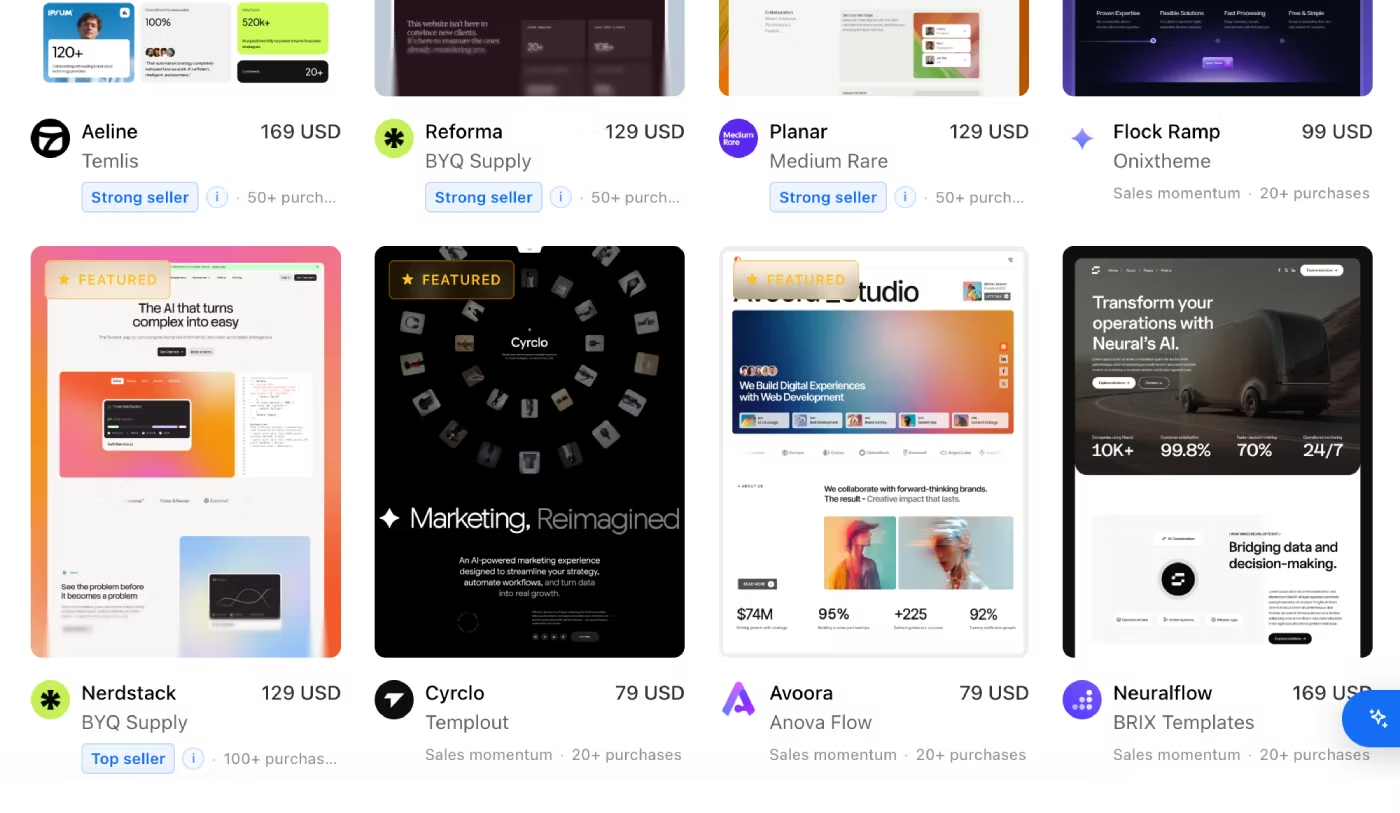
Webflow also has free templates available on the Marketplace. These can be a good option if you want to reduce your initial website costs. The most important thing is to evaluate the template itself instead of judging its quality only by the price.
I’ve explained how to choose a high-quality free Webflow template in this case study.
How to Evaluate a Free Webflow Template
A free Webflow template can be a good starting point for a new website. It is important to understand that free templates also go through a review process by Webflow moderators and must follow the Marketplace rules and requirements.
If you see a free template on the Webflow Marketplace, it meets the required standards and includes the basic features needed to build a website, such as:
- Page design
- CMS Collections
- Responsive design
- Basic SEO settings
- Reusable Components
However, these features may be provided in a basic working version and may not cover all of your business needs. You may still need to customize the template, add more CMS fields, review the animations, and create additional sections to properly display all of your content.
Free Webflow templates are often created by designers and developers to showcase their skills, attract free downloads, and generate additional customization projects from users who need help adapting the template to their specific needs.
Why Is Custom Webflow Development More Expensive?
Custom Webflow development requires much more work before the website can be launched.
If you work with a Webflow development studio or creative agency, the project may include:
- custom UX/UI design;
- brand identity;
- Figma design;
- Webflow development;
- CMS architecture;
- Components;
- Variables;
- responsive design;
- interactions and animations;
- SEO setup;
- testing;
- revisions.
Each stage requires additional time and expertise, which is why a custom Webflow website costs significantly more than a ready-made template.
How Fast Can You Launch a Webflow Website?
The time required to launch a Webflow website depends on whether you start with a template or build everything from scratch. Based on my experience at KEDD Design, several factors can significantly affect the timeline.
For example, a client may purchase a template but have a large amount of content that needs to be added. Content migration alone can take more than a week. Template customization can also require additional time for design changes, CMS modifications, responsive testing, image optimization, and new sections.
Launching With a Webflow Template
One of the biggest tasks when customizing a Webflow template is replacing the existing content with your own.
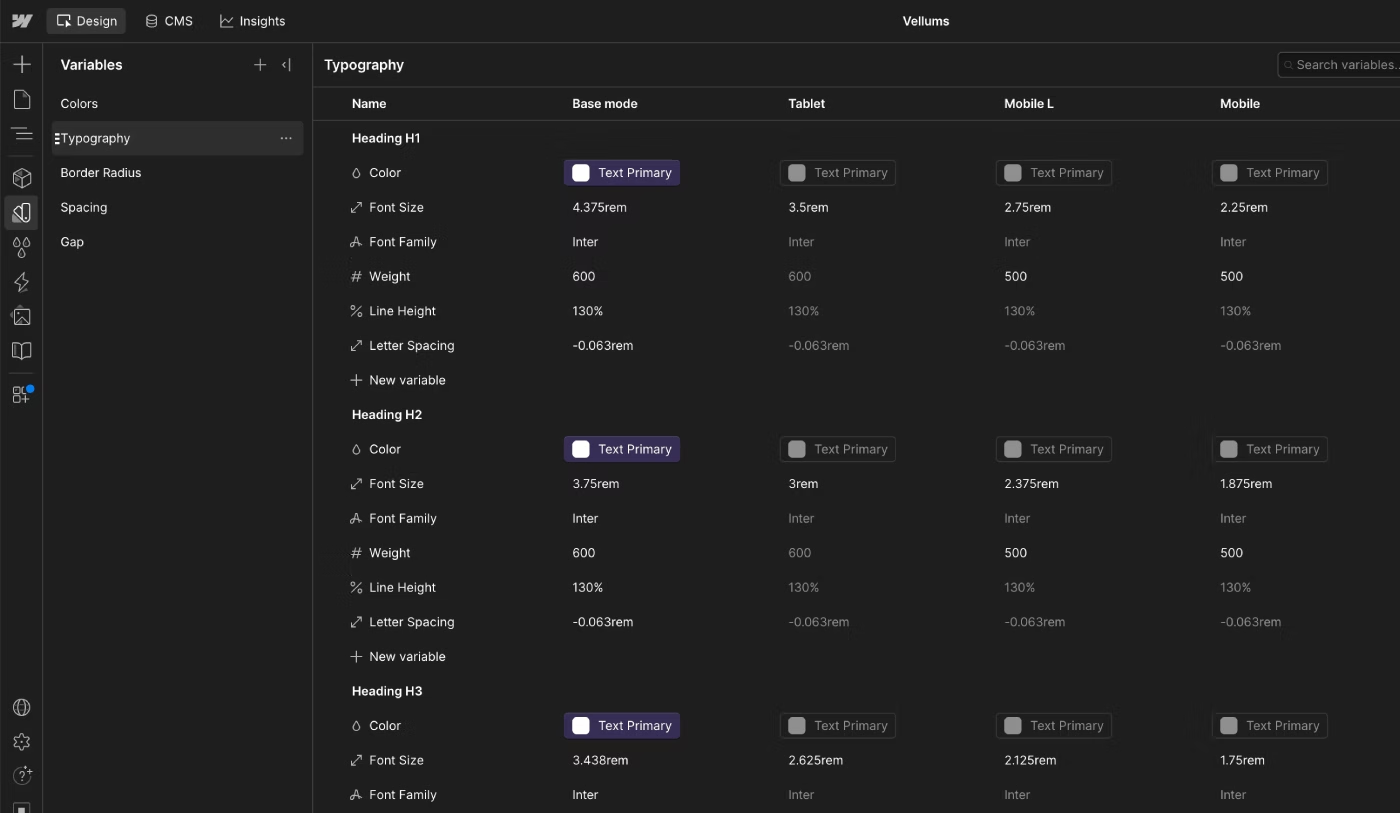
This can include:
- replacing images;
- optimizing images;
- updating typography;
- changing colors;
- modifying Components;
- adding new sections;
- updating CMS Collections;
- adding new content;
- checking responsive layouts;
- testing interactions and animations.
These tasks can take more time than expected. In my experience, one common mistake is choosing a Webflow template based only on its visual design and animations. Before purchasing a template, you should also check how it is built, how the classes are organized, how the CMS works, and how easily the website can be customized.
Building a Website From Scratch
When building a custom Webflow website, the structure is planned before development starts. A good Webflow developer can establish the class system, design system, CMS architecture, Components, and responsive structure before building the final pages.
This approach makes it easier to manage content, create interactions, optimize the website, and maintain consistent responsive behavior across breakpoints. A well-planned custom website can also be easier to scale when new pages, content, and functionality are added.
Design Flexibility and Customization
If you choose a well-built Webflow template, it can be much more flexible than many people expect. The key is to evaluate the template not only by its visual design and animations, but also by its Webflow architecture.
This is the approach we use when creating templates at KEDD Design. We think about how the template will be customized and scaled after purchase, not only how it looks in the Marketplace preview. Our templates are built using the Client-First methodology and focus on a structured class system, reusable Components, CMS architecture, and a scalable design system.
Changing the Visual Style
A good Webflow template should include the main Variables used throughout the website.
This makes it easier to change:
- colors;
- fonts;
- typography;
- spacing;
- sizes;
- other global design settings.
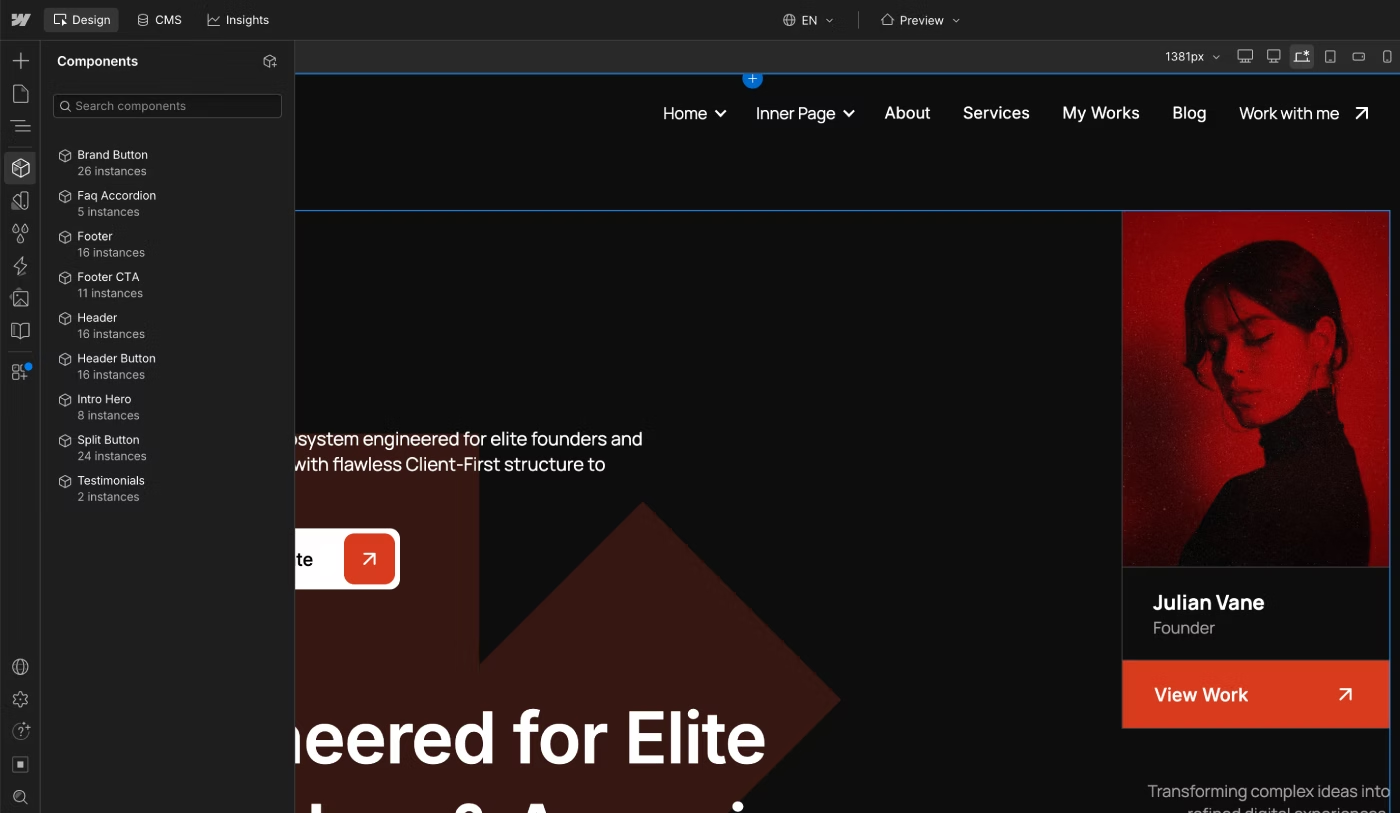
Instead of changing individual elements one by one, you can update the global Variables and apply the changes throughout the website. The Header and Footer should also use reusable Components when appropriate. Buttons and other repeated elements can also use Components to make text, links, and styles easier to manage.
Changing Page Sections and Layouts
A flexible Webflow template should allow you to change the order of sections, add new sections, and replace existing content without breaking the layout. This is especially important when adding your own content.
A well-structured template should use consistent spacing, Variables, Components, and classes so you can modify margins, padding, sections, and layouts without creating unnecessary styling problems.
Creating a Unique Website From a Template
A well-built Webflow template can become the foundation for a unique website. If you choose the right template, you can customize its design system, replace the content, change the typography and colors, modify sections, update the CMS architecture, and add new functionality.
The result can look and feel completely different from the original template. This means that a Webflow template does not necessarily limit your brand identity. The final result depends heavily on the quality of the template and how it is customized.
Should You Customize a Webflow Template Yourself or Hire a Developer?
Many clients come to me after trying to customize a Webflow template on their own, only to waste a lot of time. This is a very common mistake. Customizing website layouts requires at least a basic understanding of how Webflow works and how to properly implement changes.
Often, users make mistakes that break the template rather than improving it. When they eventually reach out to me, I first have to fix all the errors before I can even start the actual project. Therefore, it is much better to hire a professional Webflow developer from the start.
By doing this, you will save time and money on content updates and template customization. A professional developer will also audit your site and suggest improvements to boost performance. For example, at Kedd Design, I always review every page, identify errors, and provide expert recommendations on how to optimize your layout for better results.
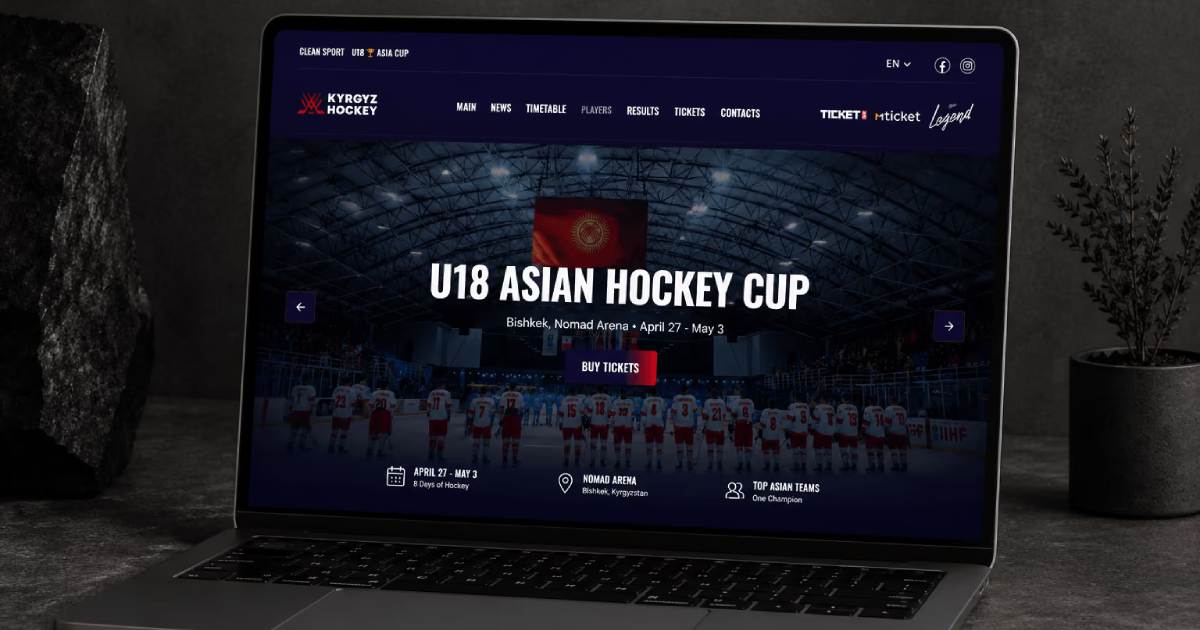
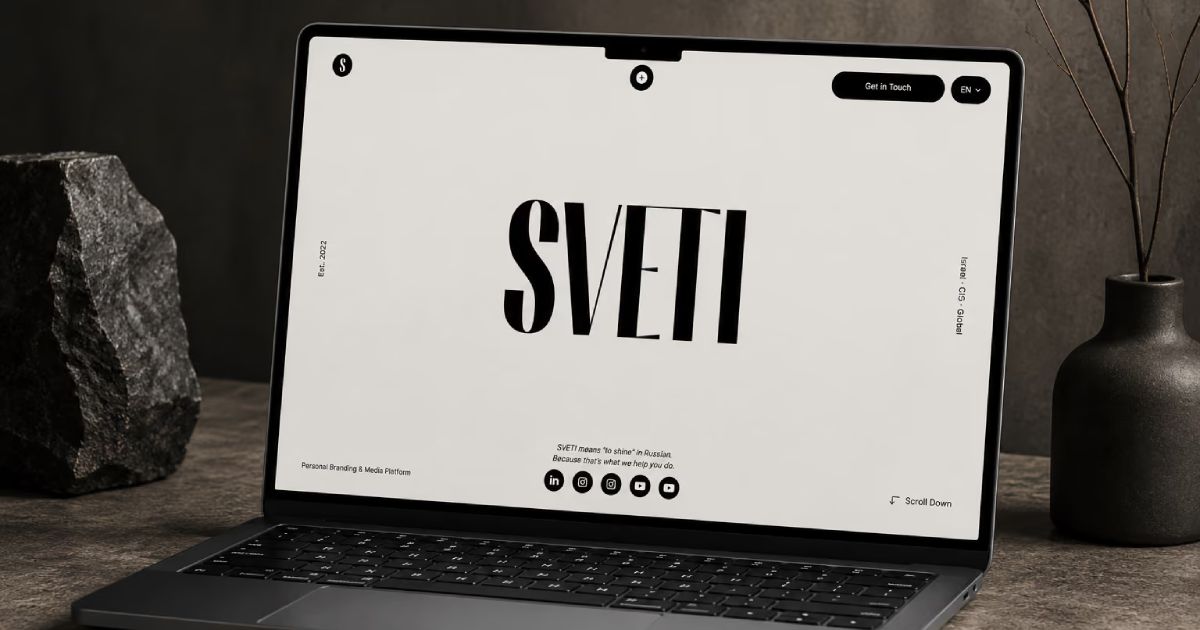
At KEDD Design, we help customize Webflow templates to fit your business needs. We can help you properly set up the website and update all of the content. Here is an example of the main changes we made and the issues we found while customizing a template for a personal brand.
How Much Does It Cost to Customize a Webflow Template?
Starting a new website project can be overwhelming. Choosing the right Webflow template and understanding the costs involved is the first step toward a successful launch. Here is a breakdown of the process and pricing for your Webflow project.
Selecting the Right Template
Begin by selecting a Webflow template tailored to your specific industry or category from the Webflow Marketplace. Choosing a template that aligns with your needs from the start will significantly reduce future customization costs and development time.
Essential Webflow Hosting Costs
Once you have your template, you will need to set up your site infrastructure. This includes:
- Domain Name: The professional address for your website.
- Webflow Site Plan: To connect a custom domain, you must select an appropriate subscription plan. Basic Plan: Ideal for static websites. Allows for a custom domain and up to 300 static pages. Starts at $15/month (billed annually). CMS Plan: Necessary if you need dynamic content, blog posts, or custom CMS collections. Starts at $25/month (billed annually).
Professional Webflow Customization with Kedd Design
After setting up your site foundation, the next step is customization. At Kedd Design, I offer a professional service to transform your chosen template into a high-performing, branded digital product.
My Process:
- Free Consultation: I conduct a free website analysis to understand your goals.
- Project Scope: I review your Scope of Work (SoW), project requirements, and content assets to ensure a smooth transition.
- Execution: Tailored development to match your vision.
Estimated Customization Pricing
Project costs depend on the volume of work and technical complexity. Based on current industry standards, here is the approximate pricing for Webflow template customization:
- Small Site. Basic layout adjustments and content setup. $400 – $500
- Medium Site. Custom sections, refined UI/UX, and extra features. $500 – $700
- Large/Dynamic Site. Complex CMS structures, deep functionality, and multiple pages. $800 – $1,300+
Final Verdict
So, should you choose a Webflow template or a custom Webflow website? There is no single answer for every business.
A Webflow template is not automatically lower quality just because it is a template. The Marketplace includes many well-built templates, but you need to evaluate them carefully before making a purchase. Do not choose a template only because you like the preview image or animations.
Check:
- page structure;
- class organization;
- Client-First methodology;
- Webflow Variables;
- Components;
- CMS Collections and fields;
- responsive design;
- SEO settings;
- scalability;
- customization options.
A custom Webflow website gives you much more control over the design, UX, CMS architecture, and development process. However, it requires significantly more time, expertise, and budget.
For many businesses, a Webflow template can be a practical starting point. You can launch faster, customize the design, add your own content, and scale the website as your business grows. The most important thing is to choose based on your business requirements, website structure, functionality, CMS needs, and future scalability — not only the visual design or template price.
The best Webflow website is not necessarily the one built from scratch. It is the one that provides the right structure and functionality for your project.