What a Webflow Template for Consulting Firms Needs
Consulting is a trust business. Before a client writes to you, they want to know what you do, how you work, who is on the team, what results you have and how much it costs. A good Webflow template for consulting firms has to answer these questions fast.
Many business templates are built around a portfolio and a contact form. That is not enough for a consulting firm. A consultant needs clear service pages, a step-by-step process, case studies with real details, team profiles, pricing and a blog that shows expertise.
I planned the structure of Consilis around these needs. Every important question a visitor may have has its own section or CMS Collection, so you only replace the content and publish.
Consilis: A Webflow Template for Consulting Firms
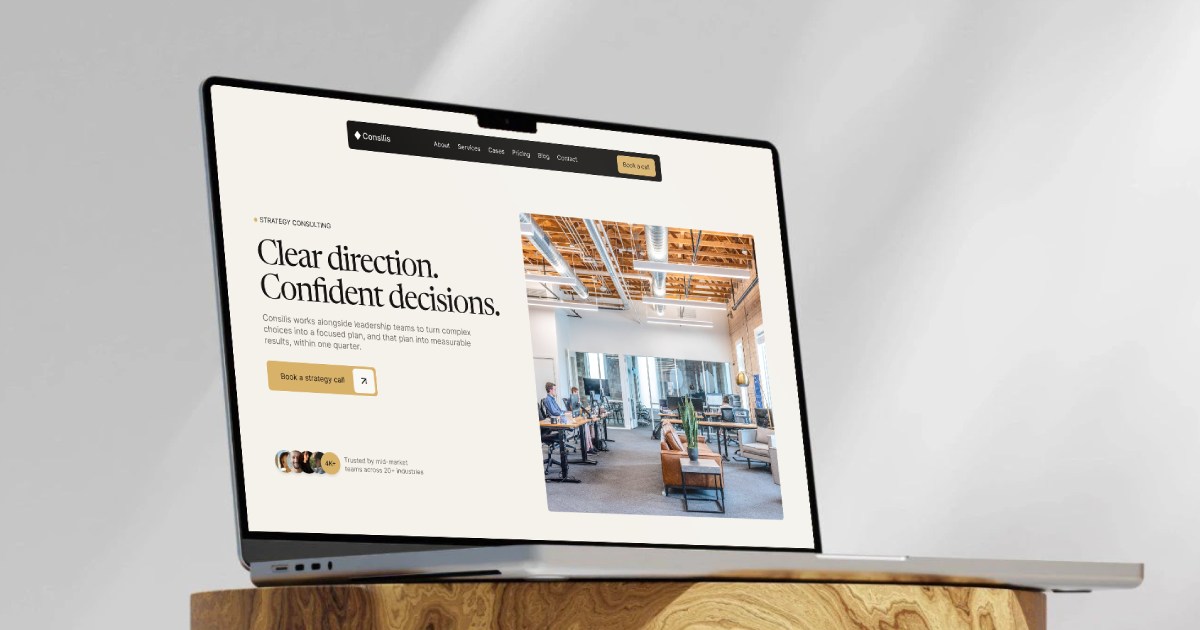
Consilis is a premium Webflow template for consulting firms, advisory practices and professional services. It is built with the Client-First 2.1 methodology and has 30 different sections, 6 reusable Components and 6 CMS Collections.
The template costs $99 and is available on the Webflow Marketplace.
The template includes these pages:
- Home, About and Contact
- Services, with four service pages: Strategic Review, Growth Planning, Leadership Alignment and Market Expansion
- Cases, Pricing and Blog
- CMS pages: Case Study, Case Category, Blog Post, Blog Category and Team Member
- Utility pages: Style Guide, Change Log, License, 404 and a password-protected 401 page
The home page builds trust step by step. It shows services, case studies, client reviews, the team and pricing. These are the parts a visitor looks for before contacting a consultant.
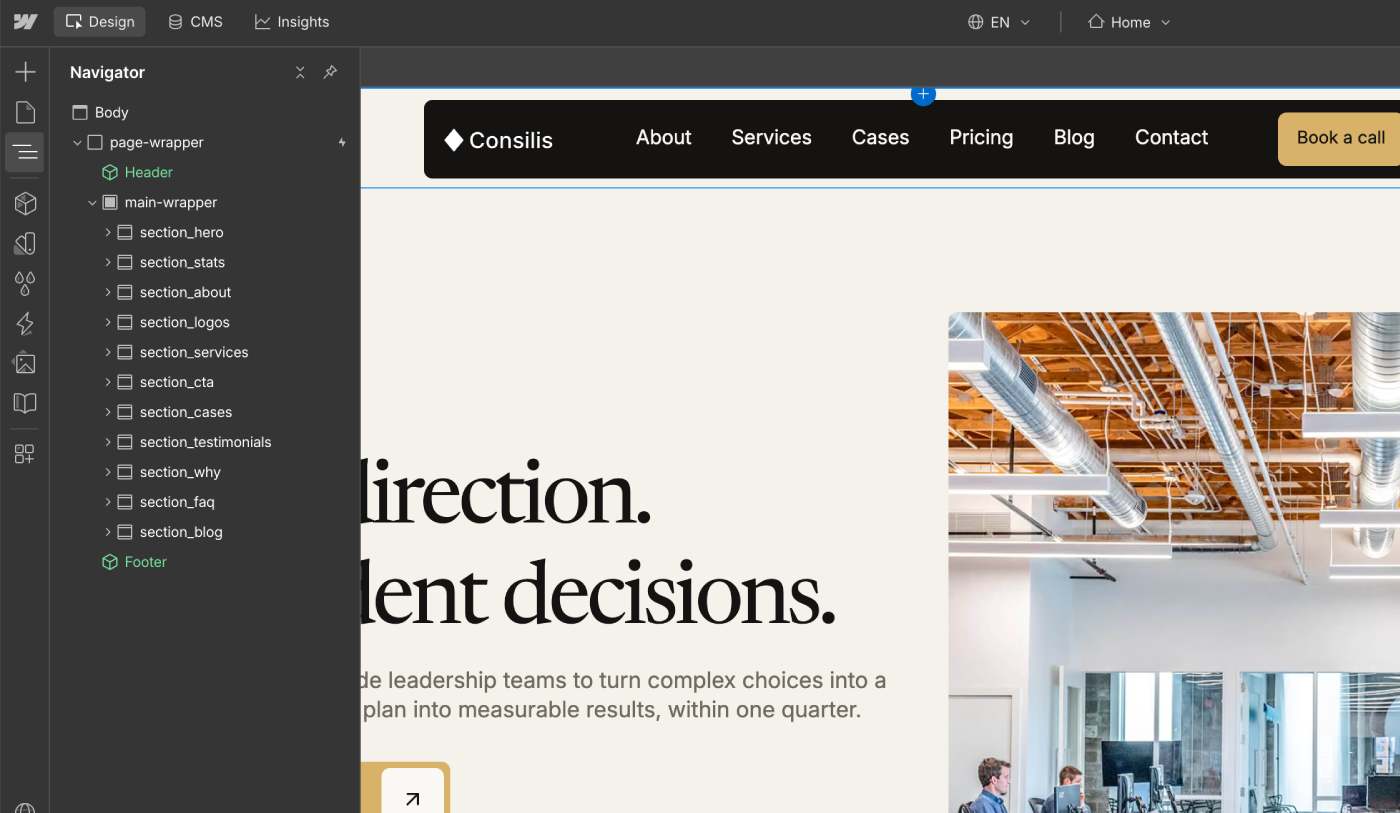
You can see all sections with previews on the Consilis template page.
Consilis is designed for consulting firms that want a professional website on Webflow without building every section from zero.
Client-First 2.1 Structure for a Consulting Website
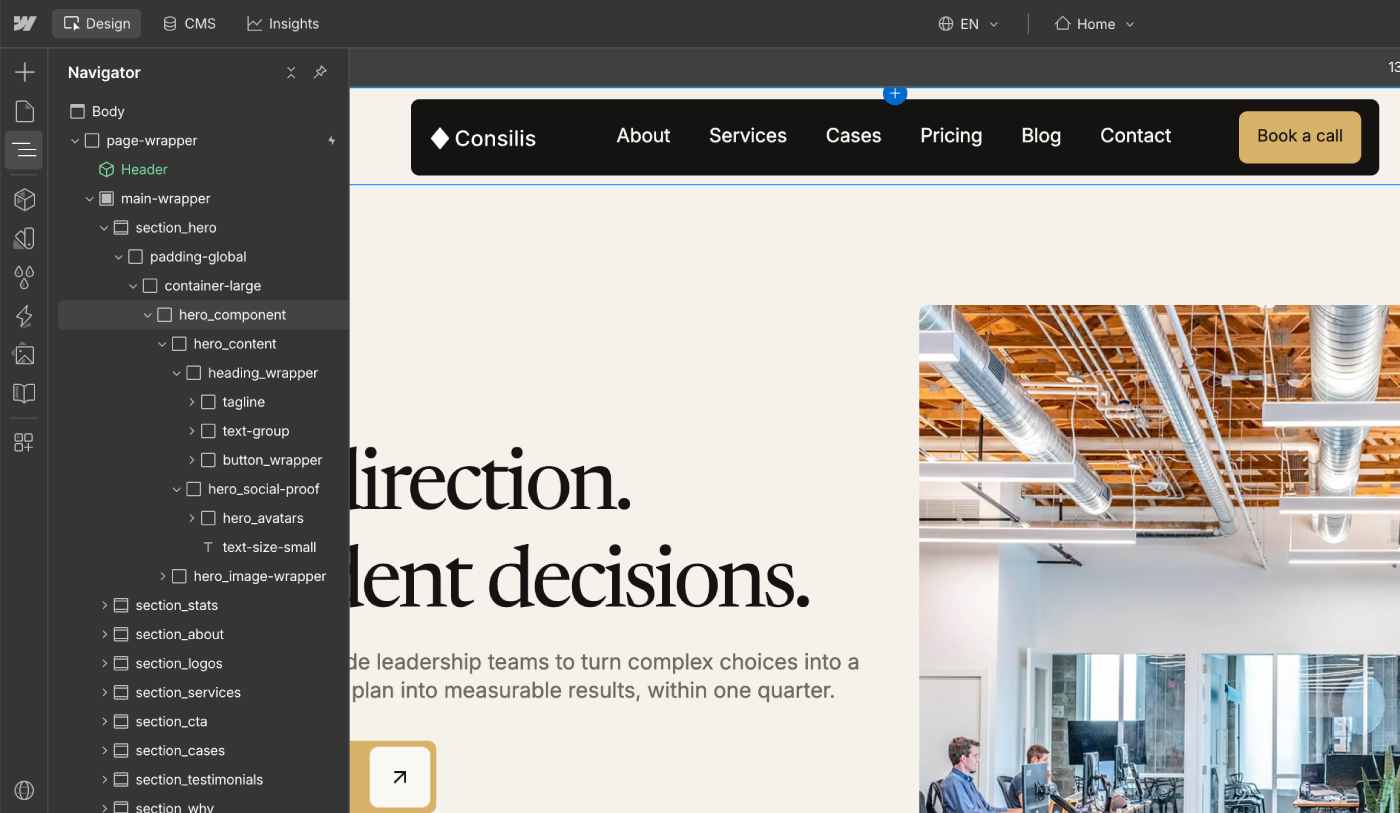
All pages follow Finsweet's Client-First 2.1 methodology. Class names are clear and predictable, so you can find a section in the Navigator, update its styles or create a new section without breaking the layout.
This also makes the template easier to hand over. A new designer, a developer or an agency can open the project and understand its structure in a few minutes. I use the same system in all my templates, and you can read more about it on the Webflow Template System page.
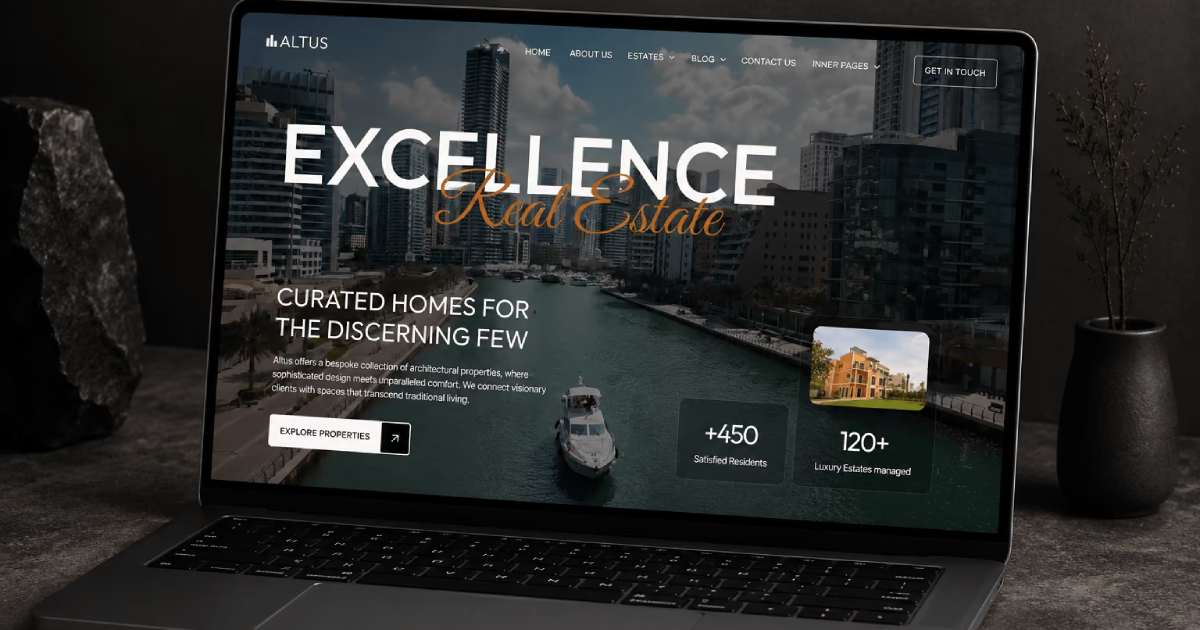
If you want to see how I used the same approach in another industry, read how I built Altuss, a luxury real estate Webflow template.
Webflow Variables for Global Design Control
Consilis uses Webflow Variables to control the design from one place. The template includes Variables for:
- Colors: all colors used in the template.
- Border Radius: two values, Radius Small and Radius Large.
- Spacing: five padding values used across the template.
- Gap: eight gap values for the space between elements.
- Typography: styles for all heading levels and description text, with Color, Font Size, Font Family, Weight, Line Height and Letter Spacing.
The Spacing, Gap and Typography Variables each have their own Modes for Tablet, Mobile Landscape and Mobile. This means the sizes are already set for every device, and you can change them in one place instead of editing many elements.
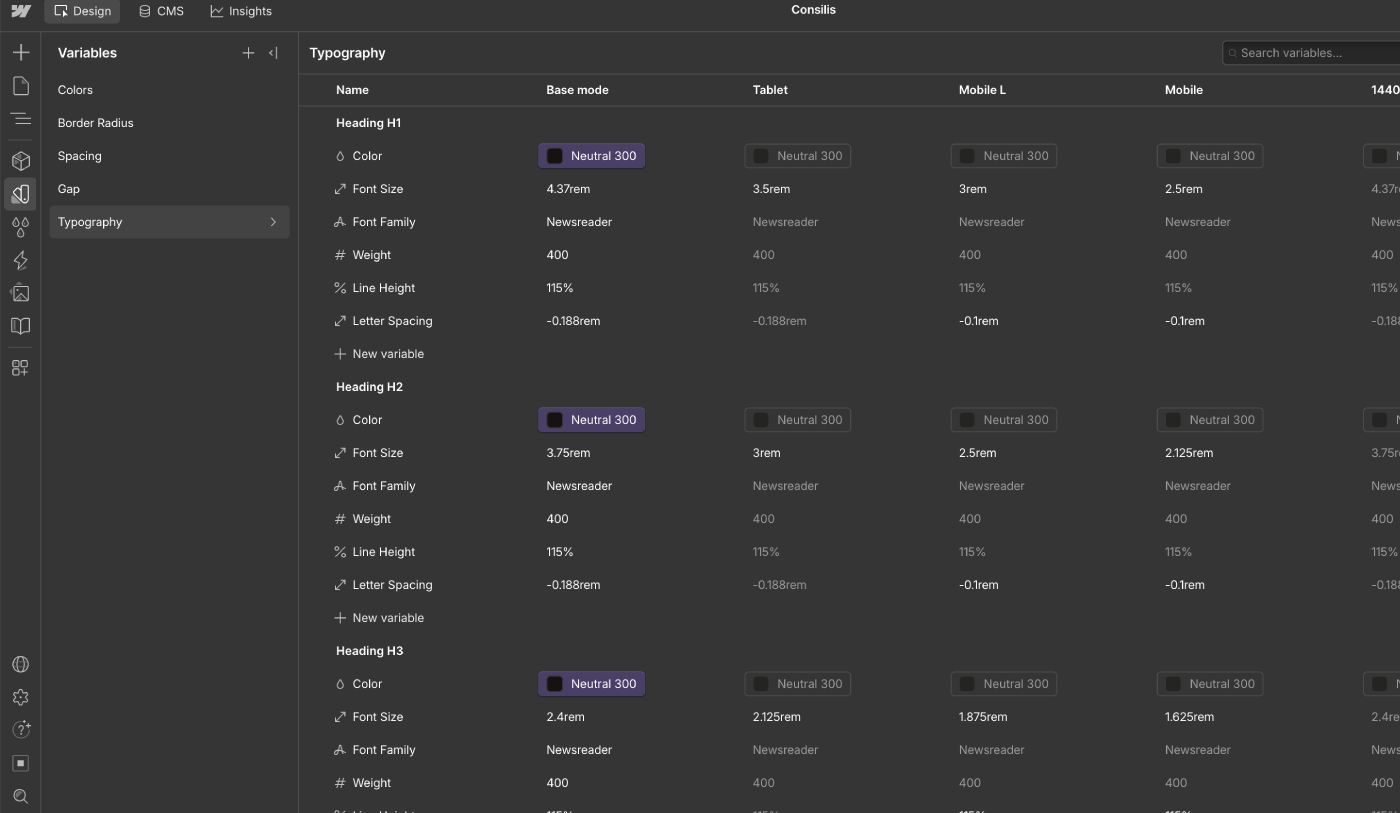
New Variables can be added when needed, so the design system can grow with your project.
Case Studies CMS for Consulting Firms
A consulting firm does not sell a design. It sells expertise and results. That is why a simple portfolio is not enough. A portfolio shows a picture, but a consulting case study must explain the client, the work and the result.
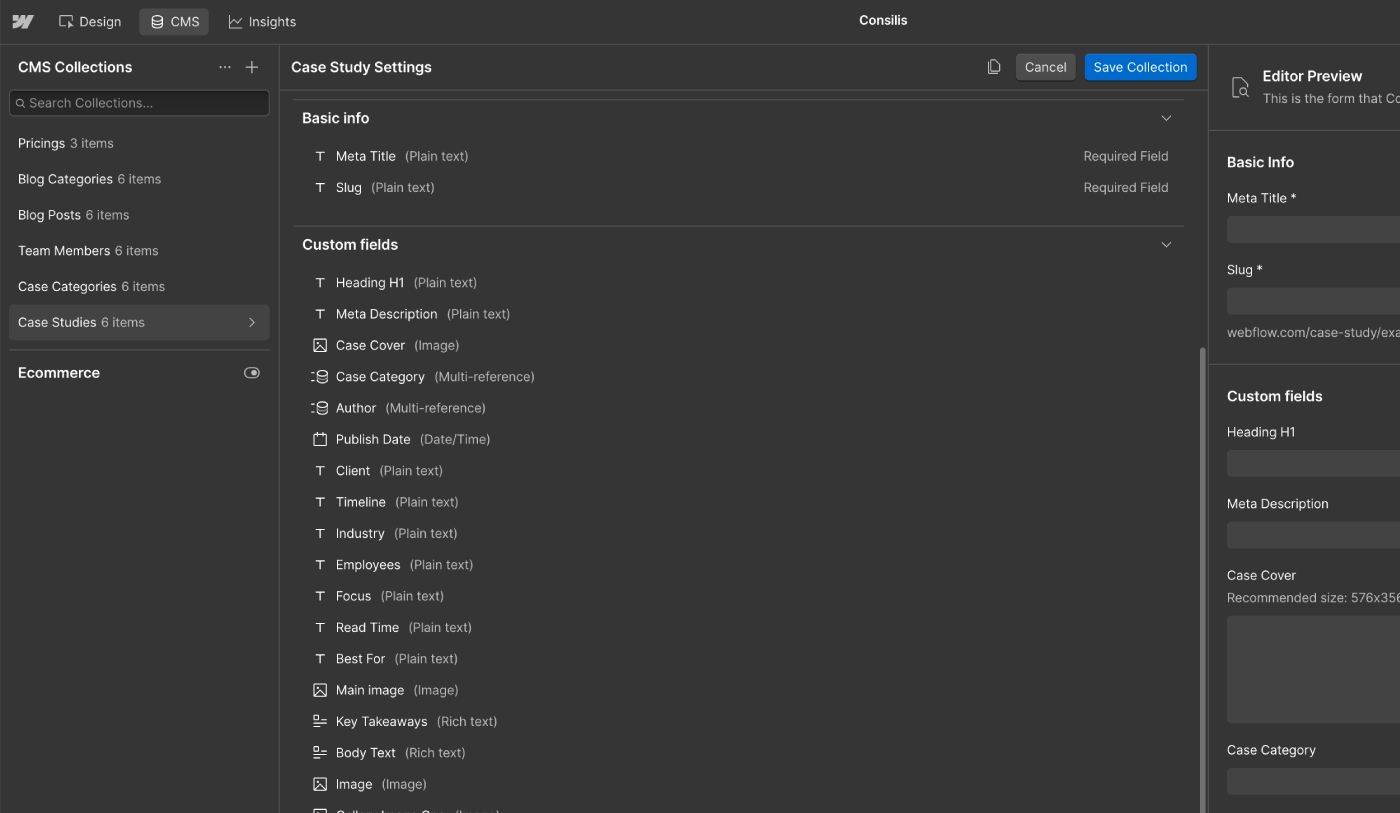
Consilis has a dedicated Case Studies CMS Collection built for this. Each case has its own fields, so you do not have to put every detail into one long text.
Fields for SEO and sharing:
- Heading H1
- Meta Title
- Meta Description
- Main Image, used for the Open Graph preview
Fields for the content:
- Case Cover, Case Category, Author and Publish Date
- Client, Timeline, Industry, Employees and Focus
- Read Time and Best For
- Key Takeaways
- Body Text, Image, Gallery Image One and Gallery Image Two
Client, Industry, Timeline, Employees and Focus show the context of the project at a glance. Read Time and Best For tell readers, search engines and AI tools how long the case is and who it is written for.
Key Takeaways is a short list of the main points at the top of each case. A reader can understand the result in a few seconds, and search engines and AI tools get a clear summary of the page.
The Case Categories Collection has its own SEO fields: Name, Meta Title, Meta Description, Heading H1, Summary (the text under the H1) and Open Graph Image.
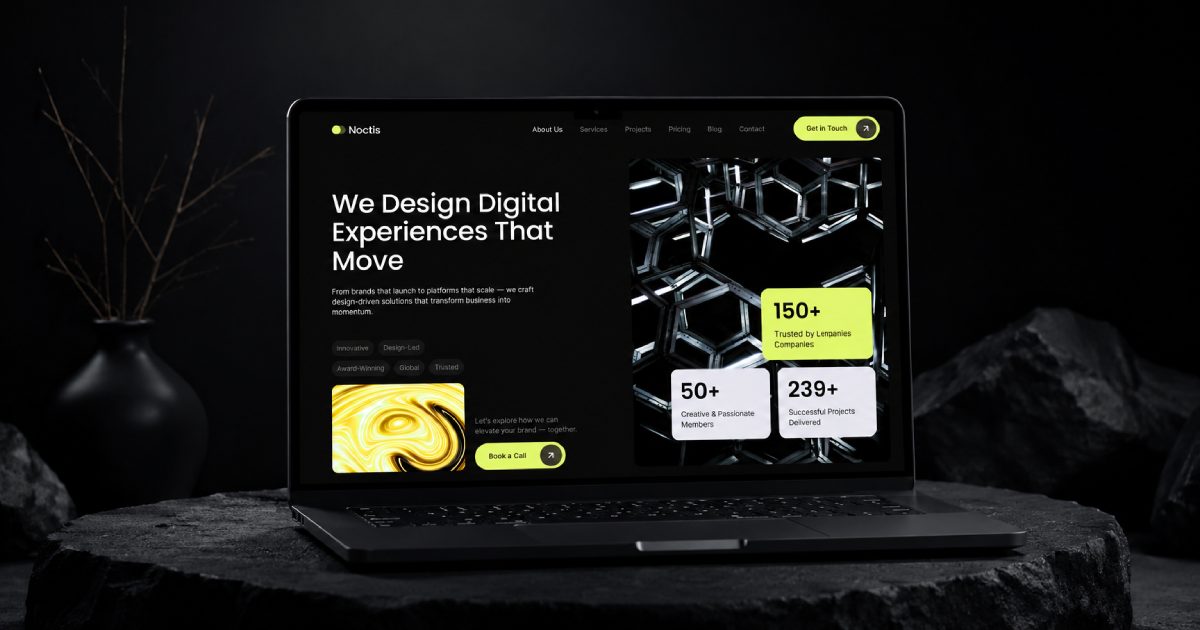
For Noctis, I analyzed 90 Webflow templates to build a strong Services and Portfolio structure. You can read the details in this case study.
A clear CMS and Components make the template easy to edit alone. See how I hand over a Webflow site to a client.
I explain the planning in a separate case: how I plan a complex Webflow project.
Team Members and Author Profiles
People buy from people, and this is even more true in consulting. That is why Consilis has a Team Members CMS Collection with its own page for each person.
Each team member has these fields:
- Name and Role
- Photo
- Short Bio and Bio
- Instagram, LinkedIn and Facebook links
The Team Members Collection is connected to the Case Studies and Blog Posts Collections. Every case and every article shows information about its author, with a link to the author's profile. Visitors see who wrote the content and what experience this person has.
Blog CMS for Expert Content
A consultant proves expertise with useful articles. Consilis includes a Blog Posts CMS Collection and a Blog Categories CMS Collection.
Blog Posts have these fields:
- Heading H1 and Meta Title, as two separate fields
- Meta Description and Open Graph Image
- Blog Post Cover, Author, Publish Date and Blog Category
- Key Takeaways
- Body Text, Image, Gallery Image One and Gallery Image Two
The page title and the H1 have separate fields on purpose. The title can be written for search results, and the H1 can be written for the reader on the page.
Blog Categories have the same SEO fields as Case Categories: Name, Meta Title, Meta Description, Heading H1, Summary and Open Graph Image.

Pricing CMS for Clear Service Packages
Many consulting firms want to show their packages and prices clearly. Consilis has a Pricings CMS Collection, so you can edit the plans without opening the page design.
Each pricing item includes:
- Name, Icon and Description
- Price and Price Note
- Features
- Button Text and Button Link
- Open Graph Image
The pricing content can be shown on the Pricing page and on the Home page, and you can add, remove or change plans at any time.
SEO and Trust Fields Built Into the CMS
Every CMS Collection in Consilis has its own SEO fields: Meta Title, Meta Description, Heading H1 and Open Graph Image. You write the SEO text for each case, article, category and pricing item in the CMS, and you do not need to open page settings for every new item.
The template also includes the details that show who stands behind the content:
- Author profile, linked to the Team Members Collection
- Publish date and last updated date
- Client, Industry, Timeline and Focus on every case
- Key Takeaways at the top of cases and articles
- Related cases and posts at the end of the page
These elements do not promise higher rankings. They give search engines and AI tools clear, structured information about who wrote a page, when it was written and what it covers. This approach is based on my own observations and testing at KEDD Design, where I experiment with how structured website content is understood by AI systems such as ChatGPT, Gemini and Claude.
AI-Ready FAQ Component
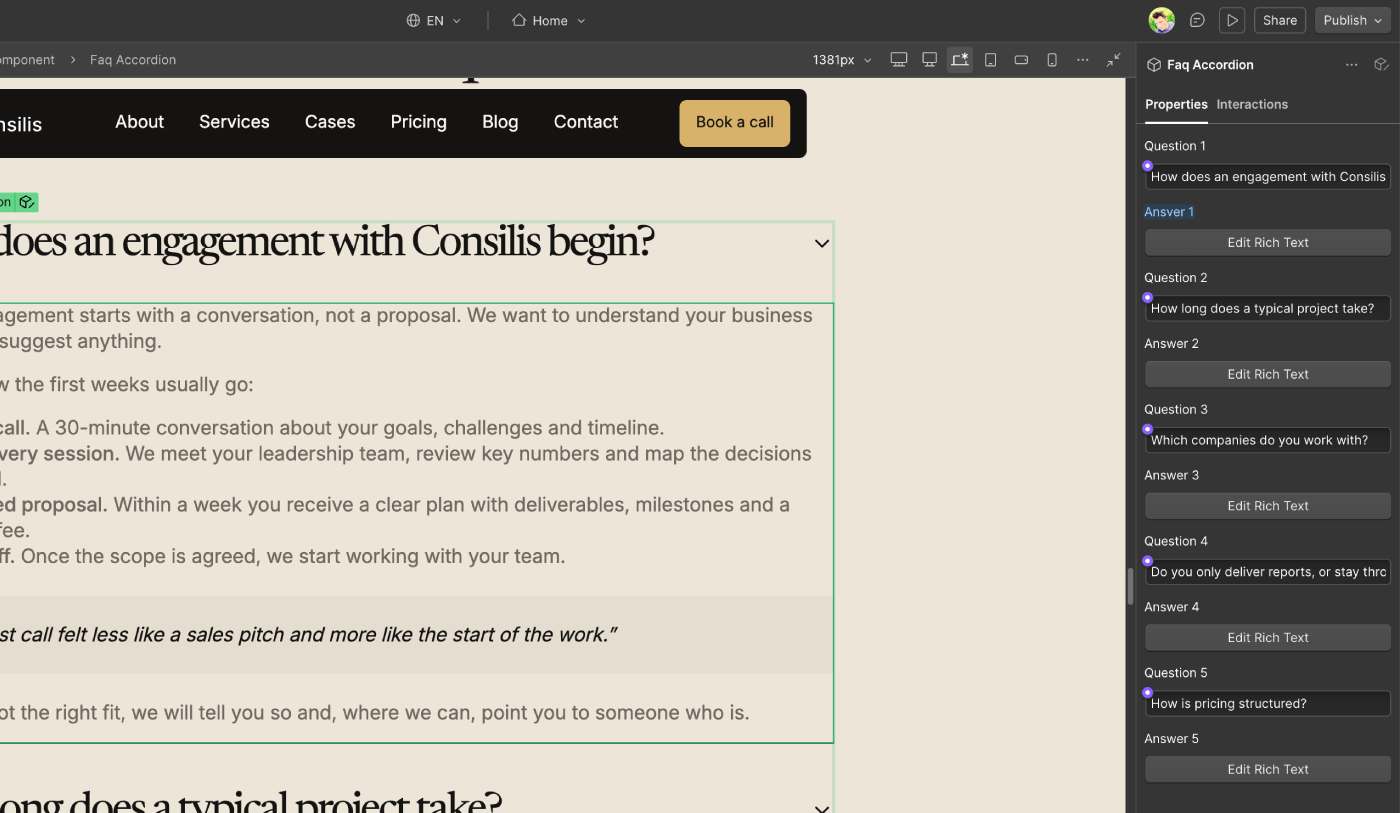
Consilis includes an FAQ section built as a reusable Webflow Component. You can edit the questions and answers through the Component Properties, and you do not need to open the Component structure.
When I build FAQ sections, I follow these principles:
- The main FAQ section heading uses H2.
- Each question uses an H3 heading.
- Each answer uses Rich Text when it needs lists, bold text or links.
- Where it makes sense, JSON-LD structured data gives search engines machine-readable information about the FAQ.
Clear questions and direct answers are easier for people to read, and they are also easier for AI tools to understand and quote.
Reusable Components, GSAP Animations and Responsive Design
The template has 6 reusable Components for the elements that repeat across pages. You change the content in one place, and it updates everywhere.
All animations are built with GSAP, following the same rules as my other templates. You can change them, remove them or add new animations. Animations should never break the page structure, and I explain why in this case study about heading animations and SEO.
The template has all the breakpoints a modern website needs:
- 1920px
- 1440px
- Base
- Tablet, 991px
- Mobile Landscape, 767px
- Mobile, 479px
Because the Variables have their own Modes for Tablet, Mobile Landscape and Mobile, the spacing and text sizes stay balanced on every screen.
Figma File for Every Buyer
If you buy Consilis, you can get the Figma file with the design of all pages for free. Contact me in any convenient way, and I will send it to you. It helps you prepare your content and test layout ideas before you open Webflow. You can reach me on the Contact page.
Who Else Can Use Consilis: Coaches, Advisors and Law Firms
Consilis is built for consulting firms, but the structure works for many professional services:
- Strategy and management consultancies that sell structured expertise and need a credible site for services, methods and results.
- Leadership and executive advisory practices that need a refined, trust-driven website.
- Business, growth and operations consultants who present clear services, step-by-step processes and measurable cases.
- Fractional executives and independent advisors who build a personal brand and start conversations with new clients.
- Boutique consulting firms with a strong brand and personal service.
- Coaching and training businesses with programs, workshops and corporate training.
- Finance, legal and HR firms that need a clear information flow and editable CMS content.
- Startups and advisory platforms that launch with a blog, case studies and team pages.
- Agencies and freelancers who build consulting websites for clients and want a clean Client-First foundation.
For coaches and training providers, the Services, Pricing and Team Members structure fits programs, workshops and expert profiles well. For law firms, finance and HR companies, the Case Studies, Team Members and Blog Collections help to show experience and build trust.
Consilis does not include consultation booking, a course platform or online payments. If you need them, I can add them through Webflow template customization.
Consilis: One of the Best Webflow Templates for Consulting Firms
Consilis is a premium Webflow template for consulting firms, advisory practices and professional services. It gives you a ready structure for services, case studies, team profiles, pricing, blog posts, FAQ and contact, with clean Client-First classes and Variables.
The template is available on the Webflow Marketplace for $99.
View Consilis on the Webflow Marketplace
If you need help with the template, I can help you prepare the website for launch. I can help with:
- Replacing the default content
- Customizing the design and branding
- Creating new sections
- Extending Webflow CMS Collections
- Adding new functionality
- Setting up SEO fields
- Preparing the website for AI discoverability
- Improving responsive layouts
- Answering questions during the customization process
After the launch, I can also look after your site with a monthly Webflow support plan.