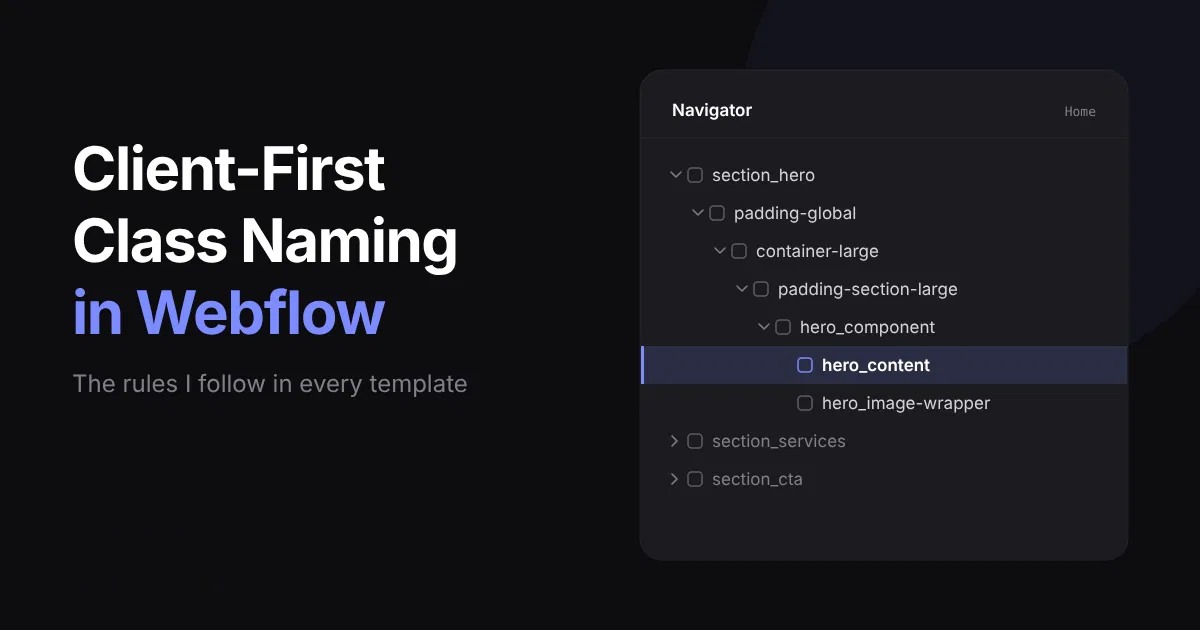
Why I Use Client-First for Every Project
I started with Client-First right away, because it is the best fit for building websites in Webflow. I did not need to switch from another system.
This case is for anyone who works with Webflow: people who are learning, people who want to build sites the right way, and people who want to scale a site that already exists.
Clear naming solves one simple problem. You can see which class is responsible for what, and which styles it controls. You do not get lost in class names. You can extend classes, add new ones, and keep the same styles on many pages. This works for spacing and sizes, and also for text and headings.
The Naming Pattern in One Table
The main rule of Client-First is simple: first the main name, then the subclass. The underscore separates the group from the element. Hyphens separate words inside a name.
After you learn this table, you can read almost any Client-First project.
How I Name Sections, Components and Wrappers
Sections get the section_ prefix and a name that describes the content: section_hero, section_about, section_services.
Components end with _component: navbar_component, header_component, footer_component.
Wrappers describe what they hold: hero_image-wrapper, heading_wrapper, stats_icon-wrapper.
Utility Classes I Use in Every Template
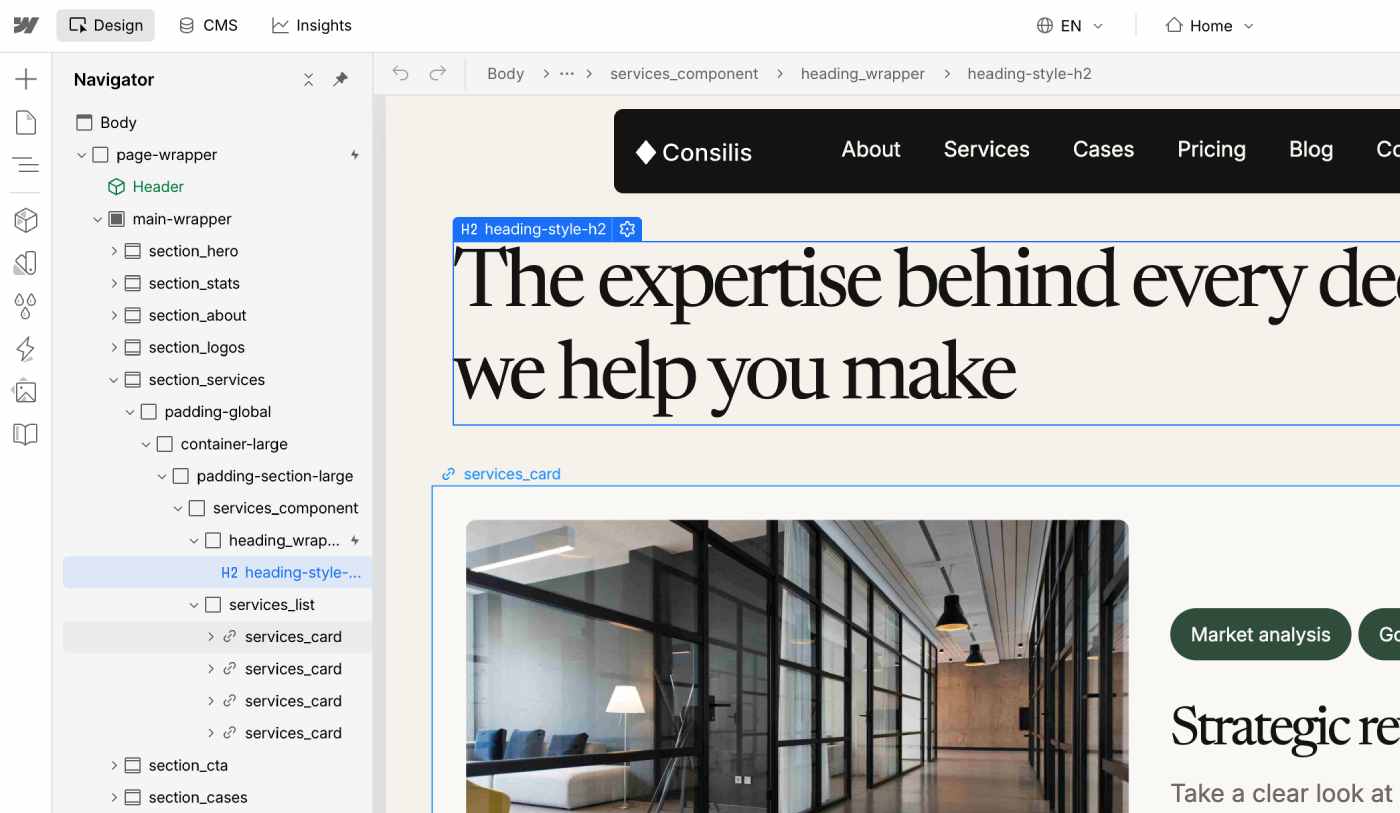
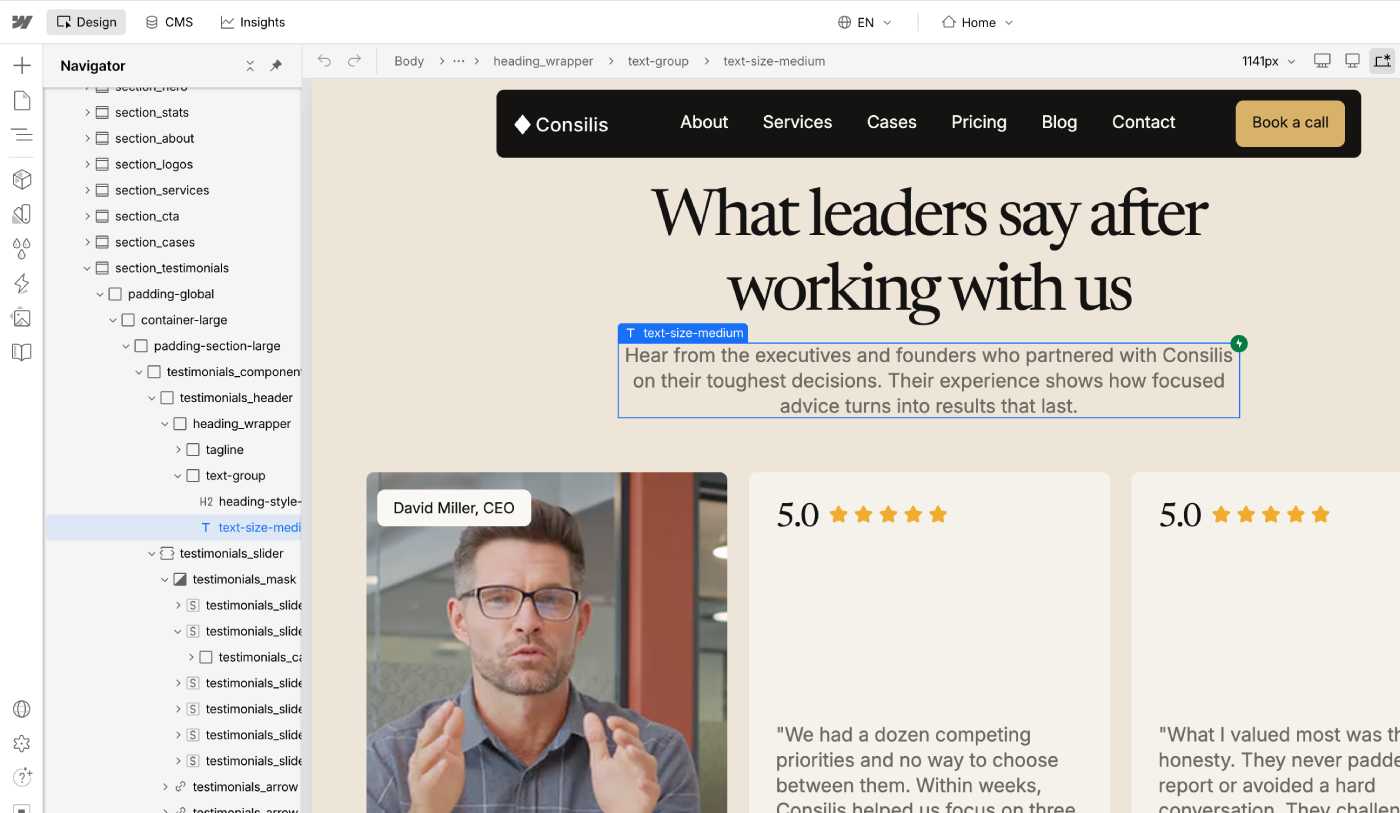
These classes control the same things on every page:
- Layout:
padding-global,container-large,padding-section-large - Text size:
text-size-small,text-size-medium,text-size-large - Headings:
heading-style-h1,heading-style-h2,heading-style-h3 - Buttons:
button
Because these classes are shared, one change updates every place where the class is used. The same idea is behind the Style Guide page I build in every template.
Prepare the base before you build: see how I plan a complex Webflow project.
Combo Classes with the is- Prefix
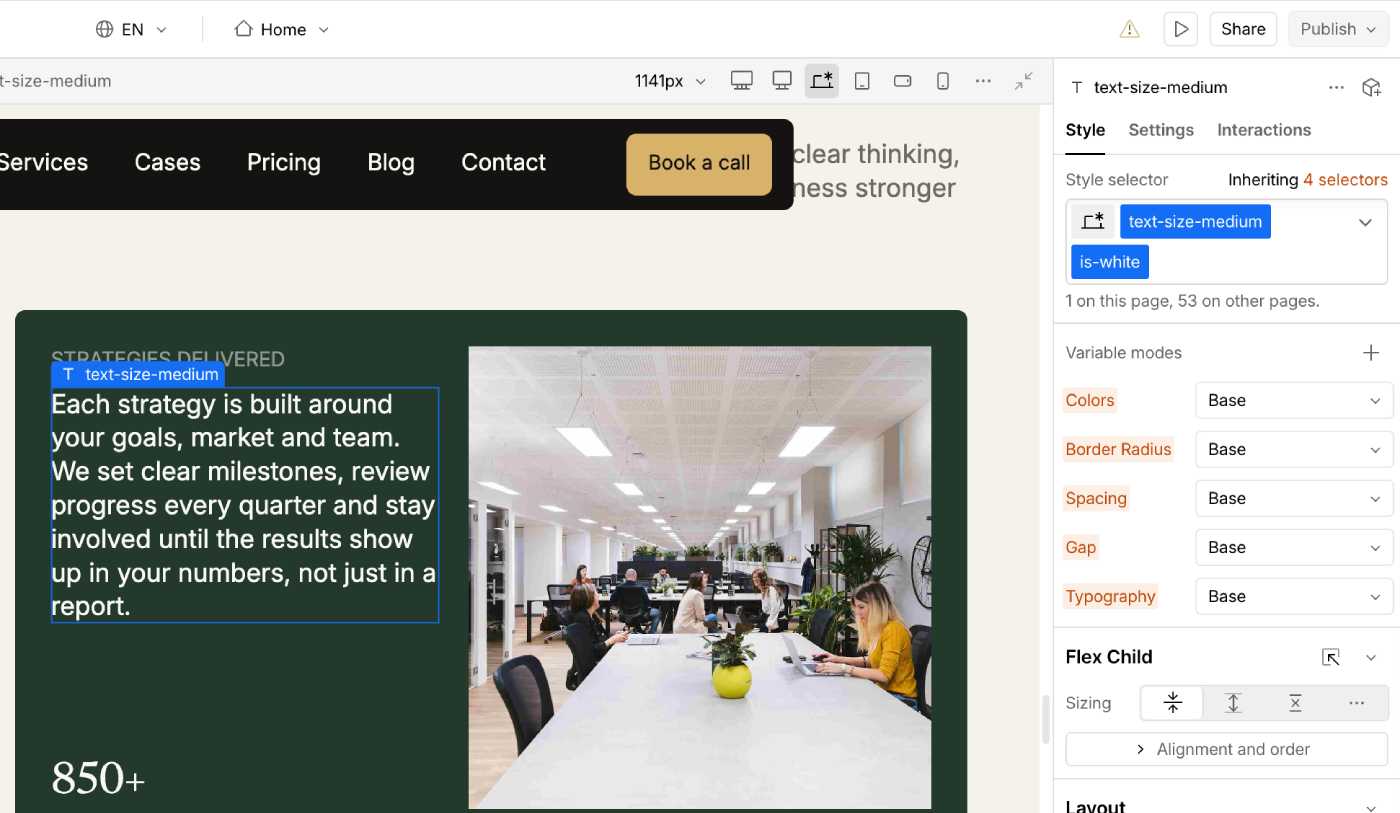
A combo class changes one thing on top of a base class. I use names like is-white, is-black, is-center, is-left, is-bold, is-small and is-tag.
The is- prefix makes it clear that this class is a modifier, not a separate element. When the base style is the same and only a small detail changes, I use a combo class.
When the element is different, I create a new class.
A Typical Section Structure in the Navigator
Every class has its own clear name, from the section to the smallest element. Here is how a hero section starts:
section_heropadding-globalcontainer-largepadding-section-largehero_componenthero_contentnext tohero_image-wrapper
For repeated elements, the class names repeat too. This way I do not create new classes that duplicate the same styles, and I can change them quickly when needed.
Naming Classes in CMS Collections
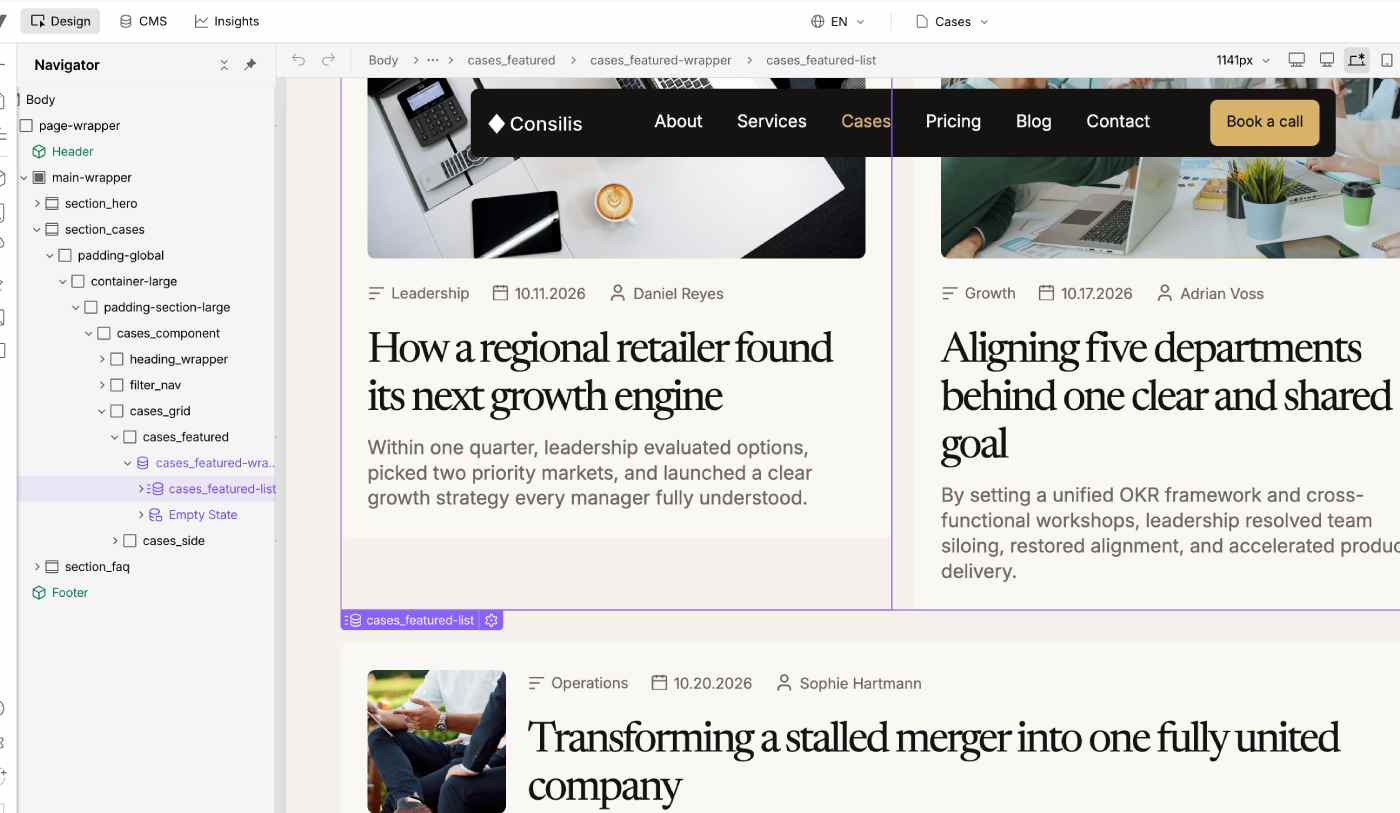
Every collection has its own class names. By the name, you can see what the collection controls and which content belongs to it.
For example, a blog list looks like this: blog_list-wrapper, then blog_list, then blog_item. Inside the item is the repeated content, connected to the fields of the CMS collection.
Naming and Animations
This is general guidance, not a strict rule: keep your HTML tags correct, and use classes to connect animations. Do not add extra headings or extra wrapper elements only to make an animation work. Extra headings can confuse the page structure and get in the way of SEO.
How I Name Components in the Designer
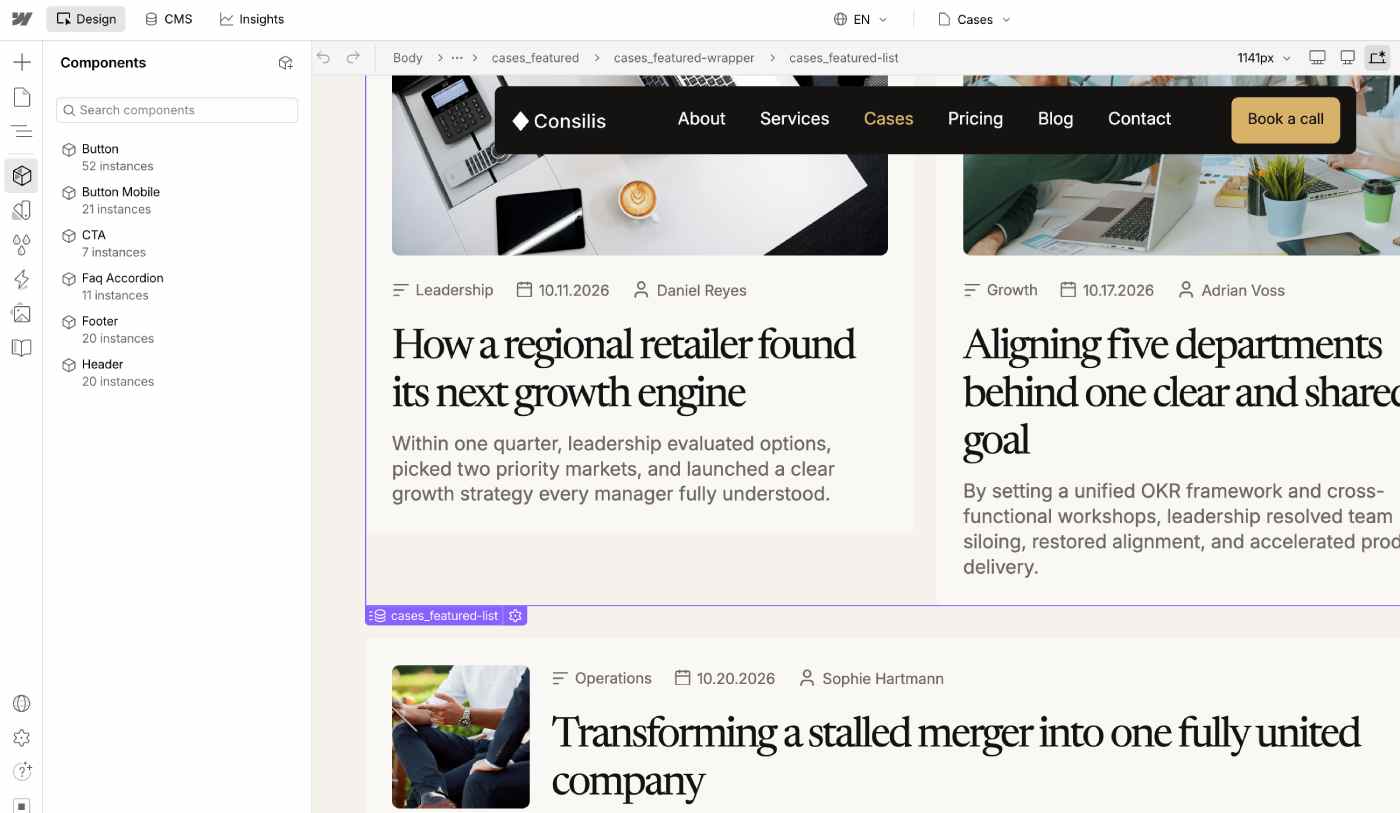
I give components simple names that a person understands at once: Button, CTA, Footer, Faq Accordion, Header. Anyone who opens the Components panel sees what each component does.
Mistakes I See in Templates That Clients Buy
I work with templates that clients buy on the Webflow Marketplace, and I have seen many different mistakes:
- empty classes without names
- many unclear names with numbers
- very short names that you cannot understand
- names with two or three spaces
- symbols from other languages, which are not recommended
- one letter created in an H1, which is needed for SEO
- many random names without a pattern
The number of classes depends on the size of the template: how many pages, how many sections and how complex they are. There is no exact number that is "normal".
The Mistake I Made When I Started
When I was learning, my biggest mistake was class nesting: I did not know which hierarchy a section needs. Some of my classes were unclear. Later I started to work with templates from other developers, and I saw how inconvenient it is. That experience taught me to build a clear structure from the beginning.
Why Clear Names Matter for Customization
Out of 15 clients who contacted me about a template they bought, 9 asked for customization and 6 asked to scale collections.
Customization means setting up the template and adding the client's own content. Sometimes clients ask me to set up separate animations, work with CMS content, or extend a collection so that all the needed content can be added. With clear names, I know where to change the style and where to add a field.
Webflow Marketplace Review
Before you submit a template, Webflow has a page with all the criteria you must meet. The review is very demanding and detailed. So if you see a published template on the Marketplace, you can be sure it passed all the checks.
My Advice for Beginners
Read the Client-First documentation. Then create a new site for yourself or for your portfolio. Create a new collection, fill it, and try to extend it with the data you need. This is the fastest way to understand the system.